| *** HIGHLIGHT*** |
-
Detail planning for daily and weekly meetings.
- Activate detailed planning by clicking the eye icon and zoom in. You must have selected the daily view in the top left corner.
- You can now see the daily cards directly within your processes at two levels of detail ("status circle only" and "all details").
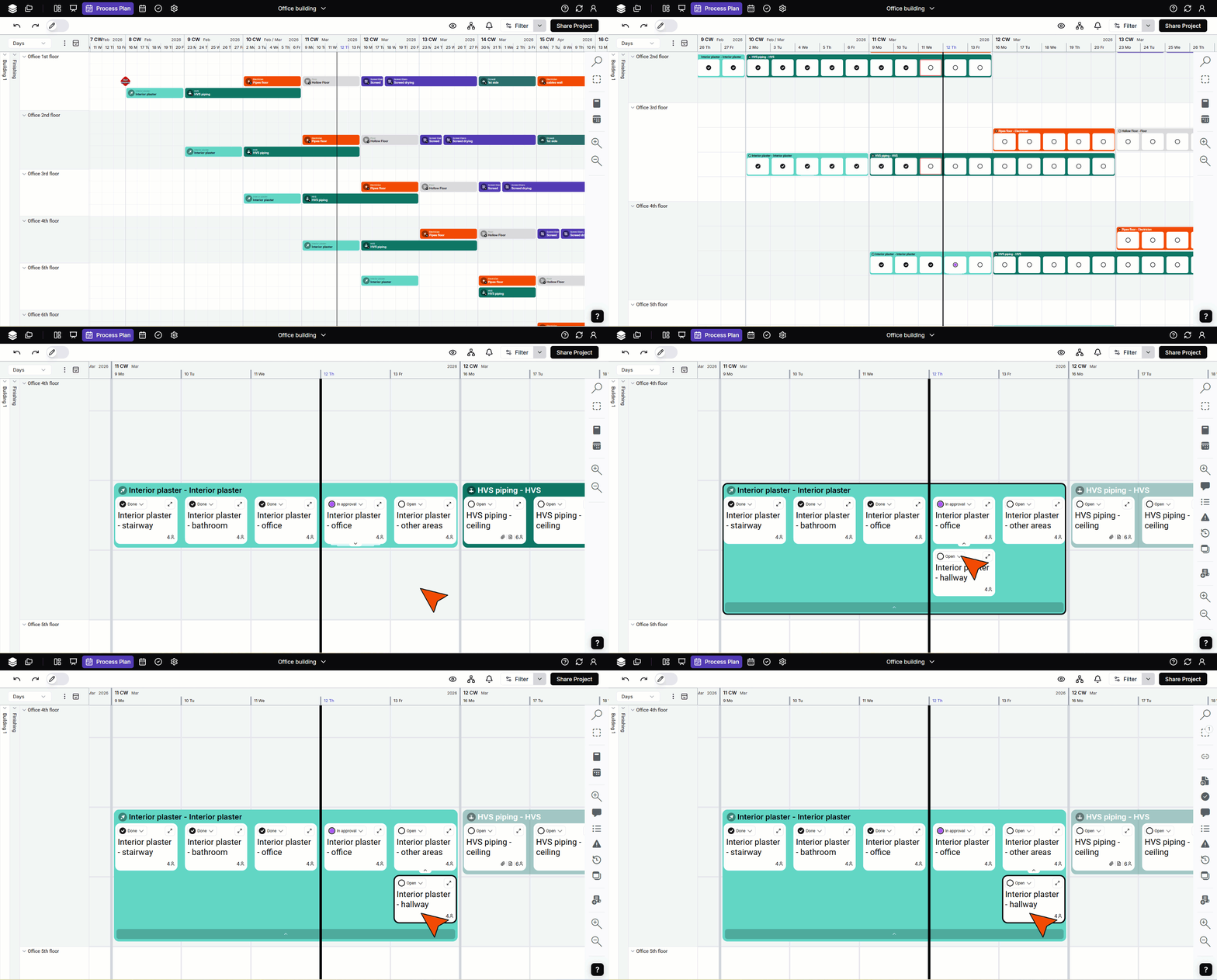
- See more in the video and the article.
|
| Process plan |
|
| Usability |
- The initial view of the process plan does not display the area attachments, giving you more space for the processes. You can re-enable the area attachments by clicking the eye icon.
- The weekly timescale now groups four weeks together to avoid switching between 4- or 5-week views per month.
|