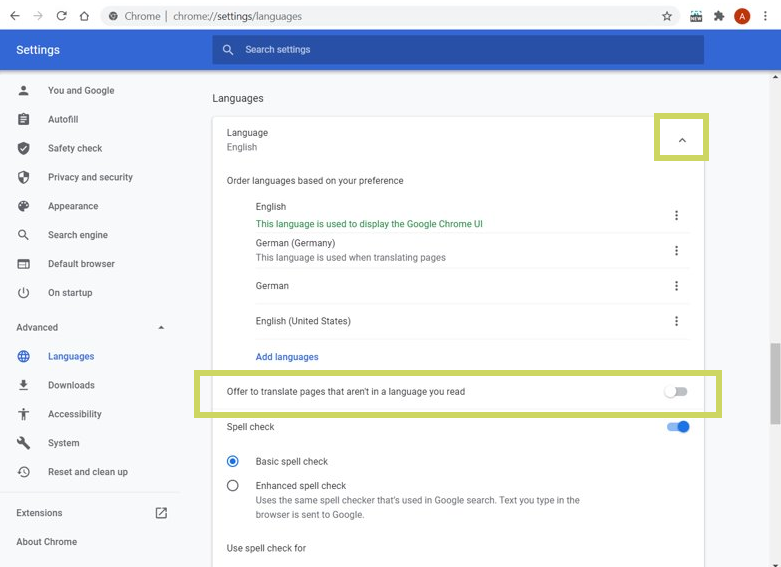
When using Google Chrome browser, the user is automatically shown the option to translate foreign language pages. This is a service of the web browser, independent of the providers of the pages accessed.
When the user selects the language "German" for the page of LCM Digital in the offered window, unusual icons and function names are displayed in the application.
In order to display the interface correctly again, the language translation of the page must be reset. If the setting for translating foreign language pages is switched off, it is also ensured that the page is not translated again unintentionally during future use.
Proceed as follows:
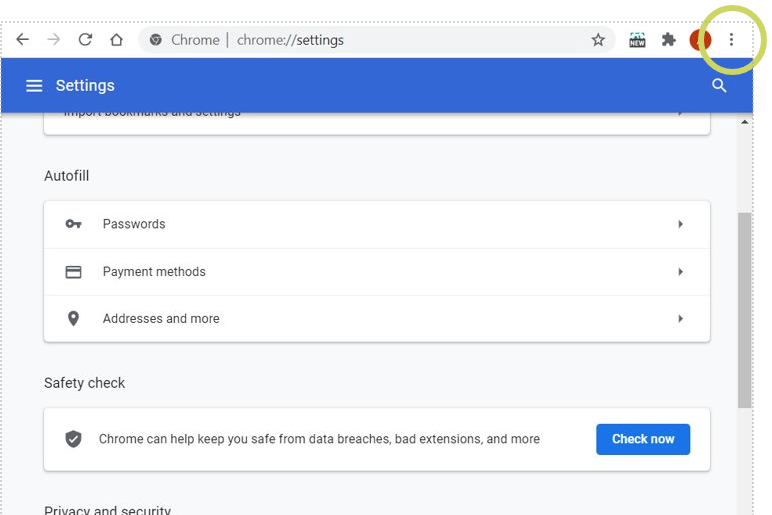
- Go to the settings of your browser (three dots to the right of the URL)
- Navigate to the advanced settings, Language section and turn off the Offer to translate pages that aren't in a language you read.