
With the new function you can add, overwrite and delete new sortings of the cycle ranges in the process planning. Basically, this function is possible for users with a process plan update authorization. All project participants (regardless of the authorization) can see and apply the sorts.
-
What are sorting? Who has access?
-
List of sorting
-
Create new sorting
-
Delete sorting
-
Change saved sorting
-
Rename sorting
- Filters and sorts
What are sorting? Who has access?
The list with sortings contains the standard sorting (default) from the takt planning, which was automatically created when generating or regenerating the process plan.
If you later only change the arrangement of the takt areas in the takt planning, but do not regenerate the process plan, these adjustments are not reflected in the PP.
You can create and save your own sorts. They are accessible to all project participants.

List of sorting
- expand
- close/ minimize
- Select and apply sorts within the lists in the process plan
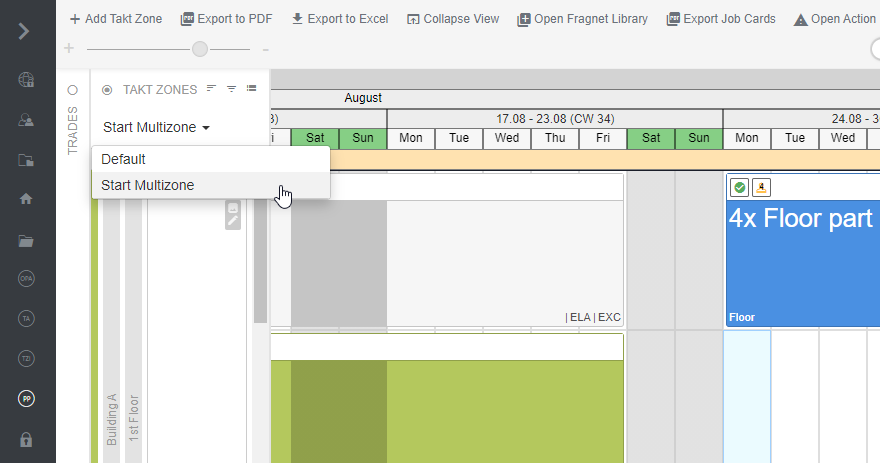
Sorts are sorted according to the alphabet. If you now click on the name of a list, it will be displayed in the process plan.
Create new sorting
The default sort cannot be overwritten. If you make adjustments to the default sort, you must add it as a new sort. Click the "+" icon to create a new sort.
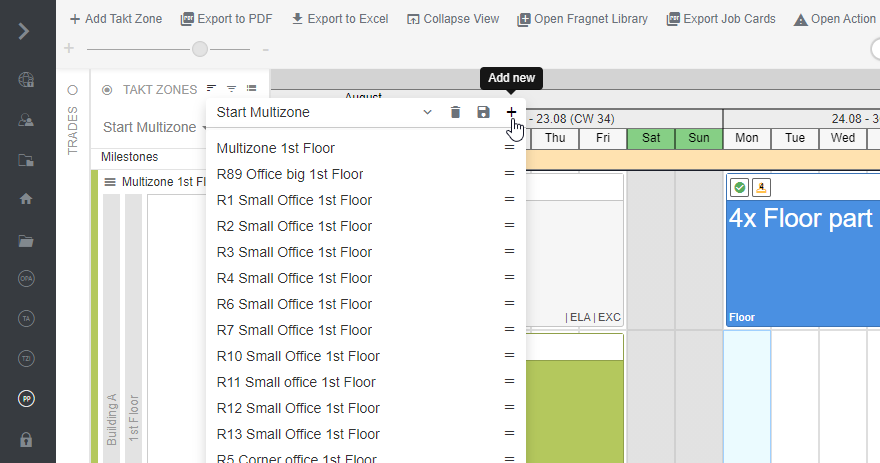
Delete sorting
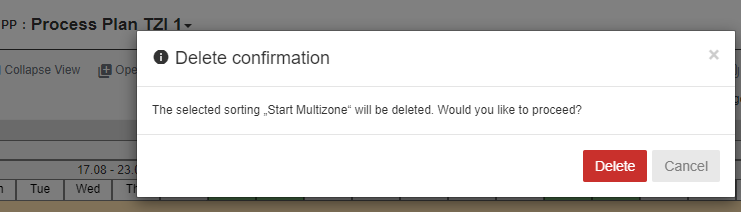
To delete the sorting of the bar ranges again, click on the symbol and confirm the removal. This is also only possible if you are authorized to edit the project. Only newly created sortings can be deleted, the default sorting cannot.
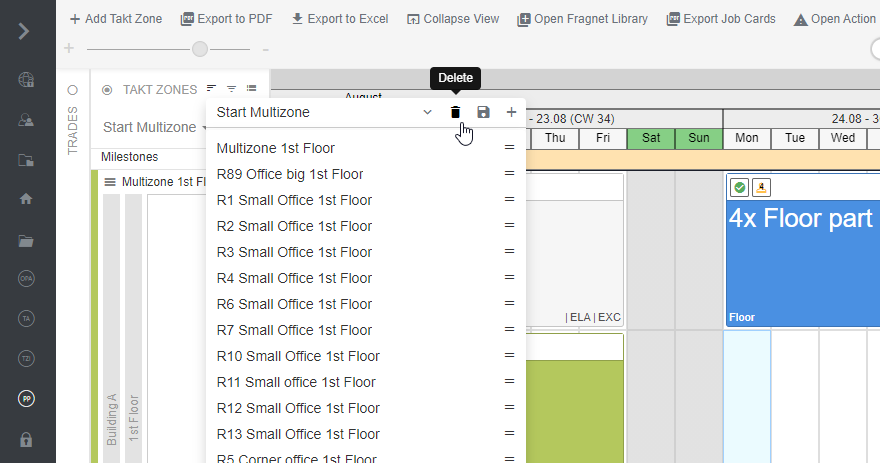
Change saved sorting
Sortings can be changed and saved. Click the save button to overwrite the current sorting. Default sorting cannot be overwritten.
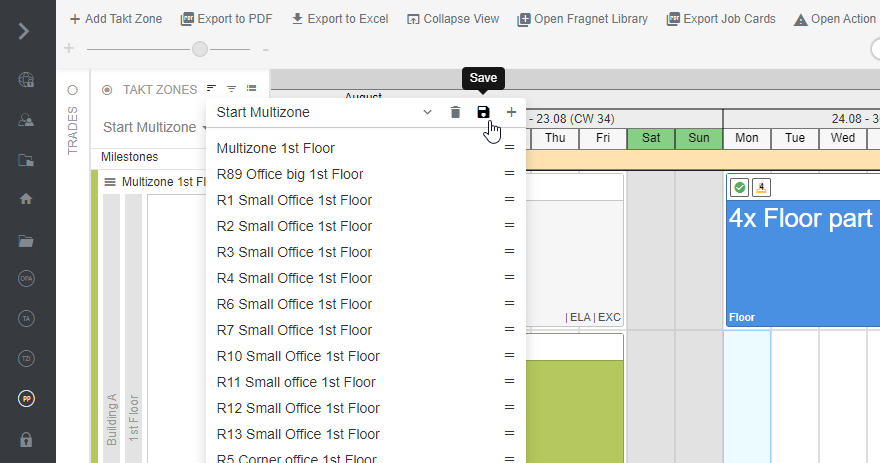
Rename sorting
The name of a sort can be changed at any time. To do this, click on the name of the sort, enter the new name and confirm with ENTER.
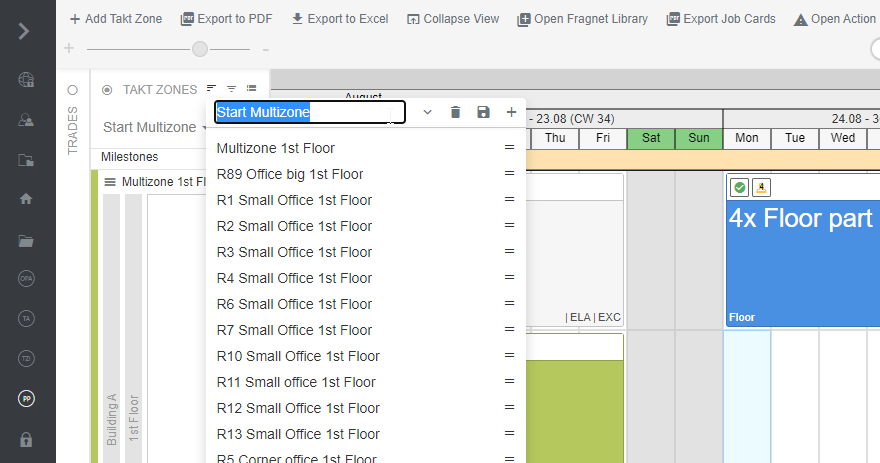
Filters and sorts
You can filter while you have applied sorts. When filters are selected, only the selected bar ranges are displayed. If you save a sort while a filter is selected, the unfiltered order is displayed first and the filtered order is displayed below it