 oben
oben
How to define Takt Trains?
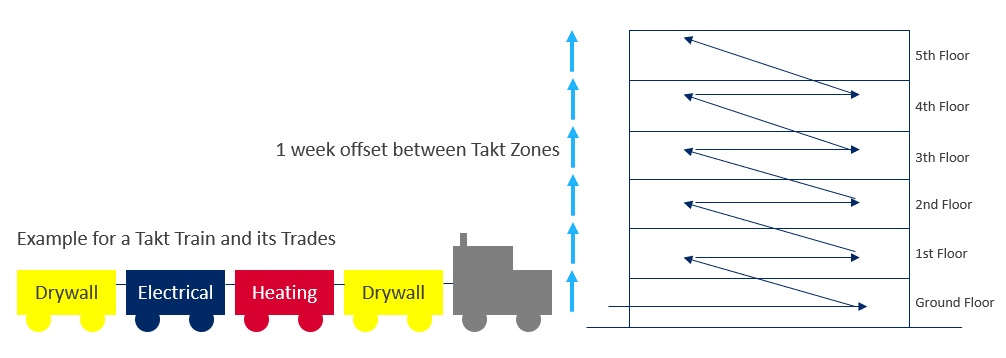
A Takt Train contains multiple Trades and Teams that execute the work in a specific Takt Zone. The same Takt Train will complete the work and move on to the next Takt Zone with a n days offset time and repeat the work.
The relevant Takt Trains for the Takt Zone Iteration can be defined in the Takt Trains library.
Example:
An office building (Area) has 5 floors (Subareas), each floor has office spaces which are identical in terms of process sequence (Zone Type). However, they differ in terms of size. There are small and big office rooms (Takt Types). There are, for example, 10 small offices on the 1st floor, three on the ground floor, eight on the 2nd floor, seven on the 3rd floor and nine on the 4th and 5th floors, as well as a big office, a corner office and a multizone (Takt Zones). The Takt Train Finishing Works, runs through the Takt Zones starting from the ground floor, to the next floor and finally to the 5th floor with a week offset time.

Create Takt Trains
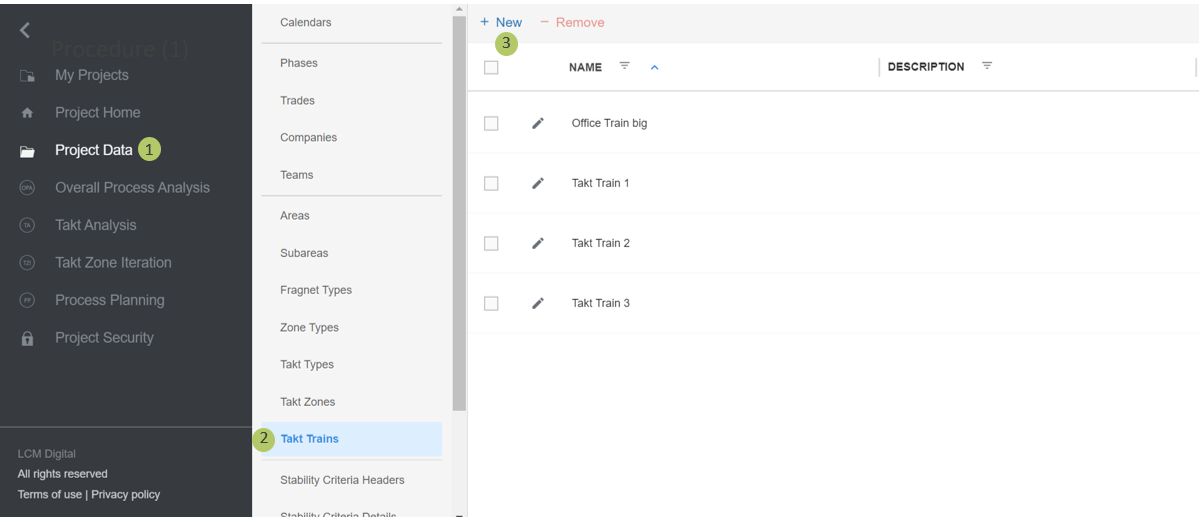
1. Go to Project Data from the Main Menu.
2. Go to Takt Trains from the list of Project Data.
3. Click on New to create a new Takt Zone.
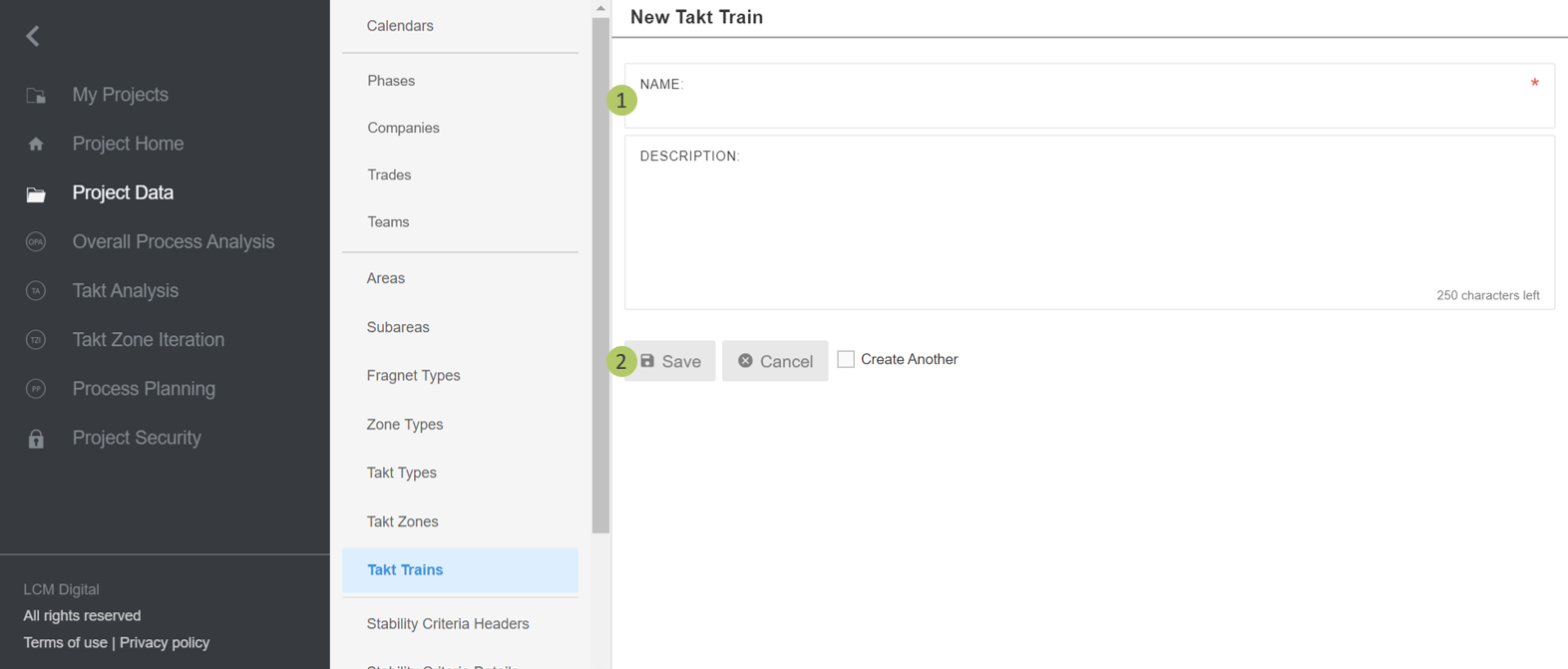
1. Type in the name of the Takt Train.
2. Click on Save to save the information and proceed.
Remove Takt Trains
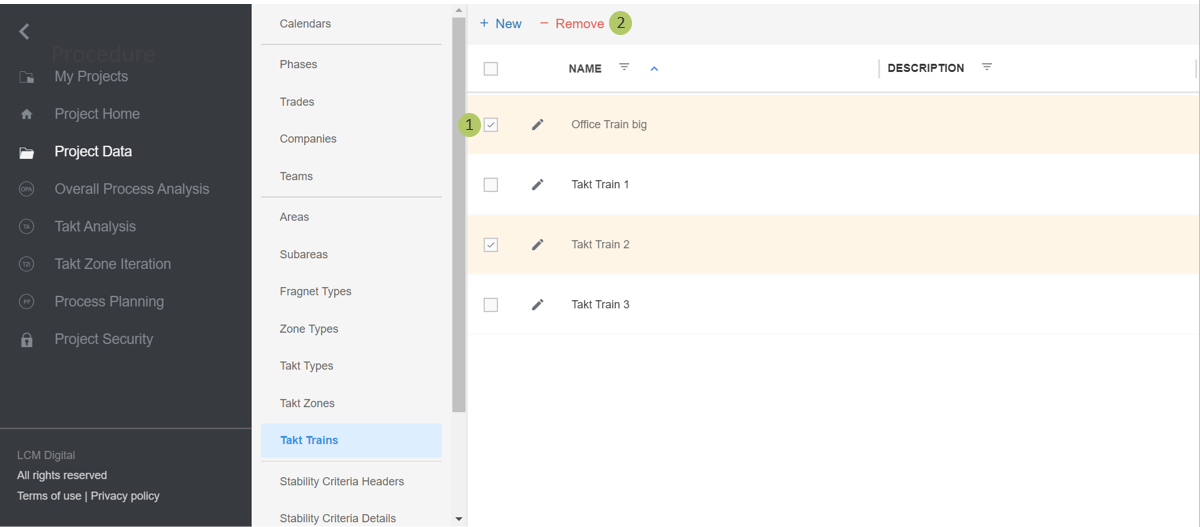
1. Select the item/s from the list of Takt Trains by clicking on the checkbox.
2. Click on Remove to delete the selected Takt Train/s.
|
|
Please note: a Takt Train cannot be deleted if in use (Takt Zone Iteration). |