|
Video: In the video tutorials you can find a video about the Overall Process Analysis. |
If you are responsible for project management in your project, you often need to copy and remove overall process analyses or change existing information, such as the name or phase.
- Edit an Overall Project Analysis
- Copy an Overall Process Analysis
- Remove an Overall Process Analysis

Edit an Overall Process Analysis
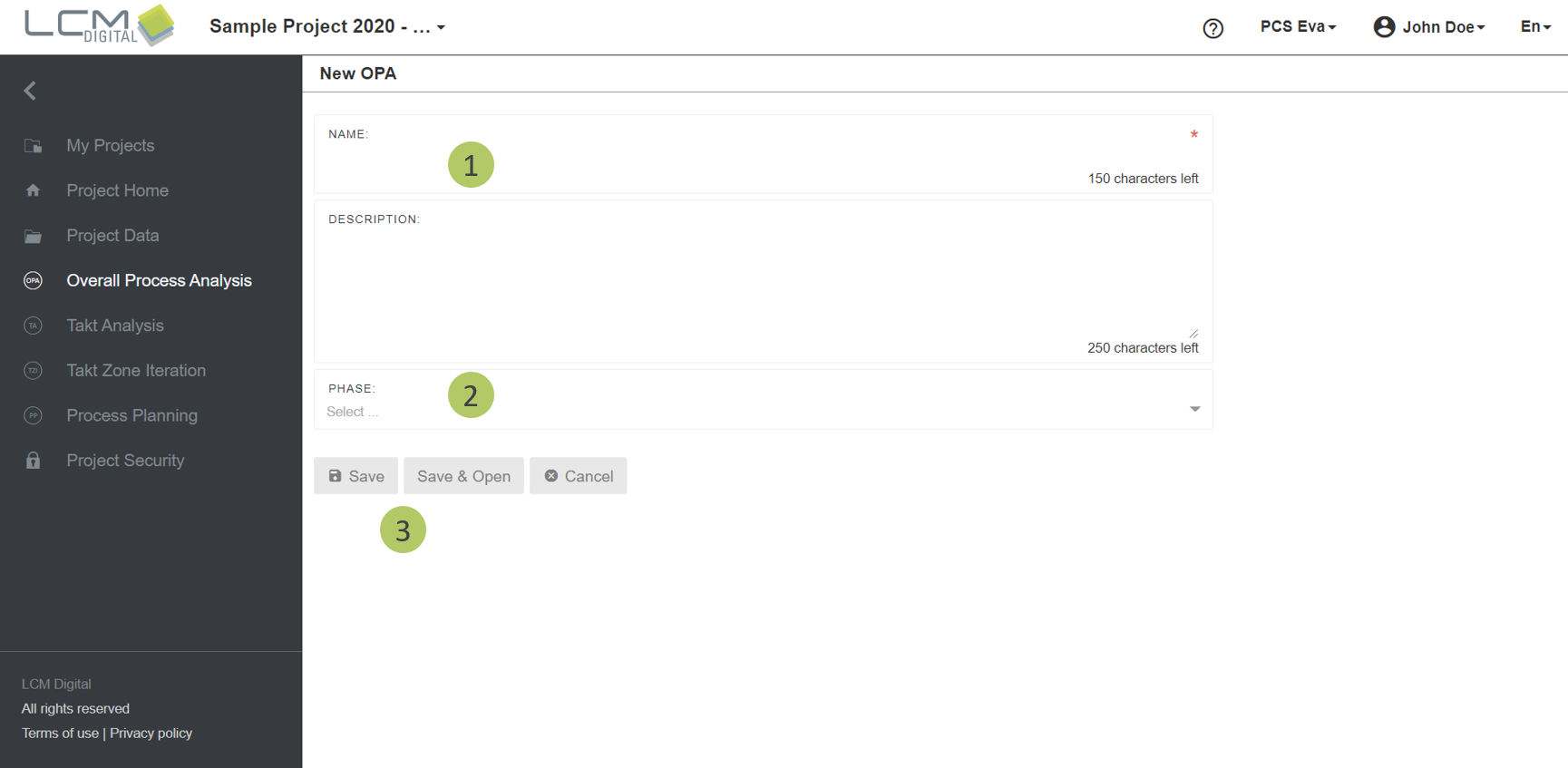
1. Type in the name for this OPA.
2. Assign an already defined Phase to this OPA.
3. Click on “Save” to save the information and proceed, or “Save & Open” to be directed to the OPA screen.
Gesamtprozessanalyse klonen
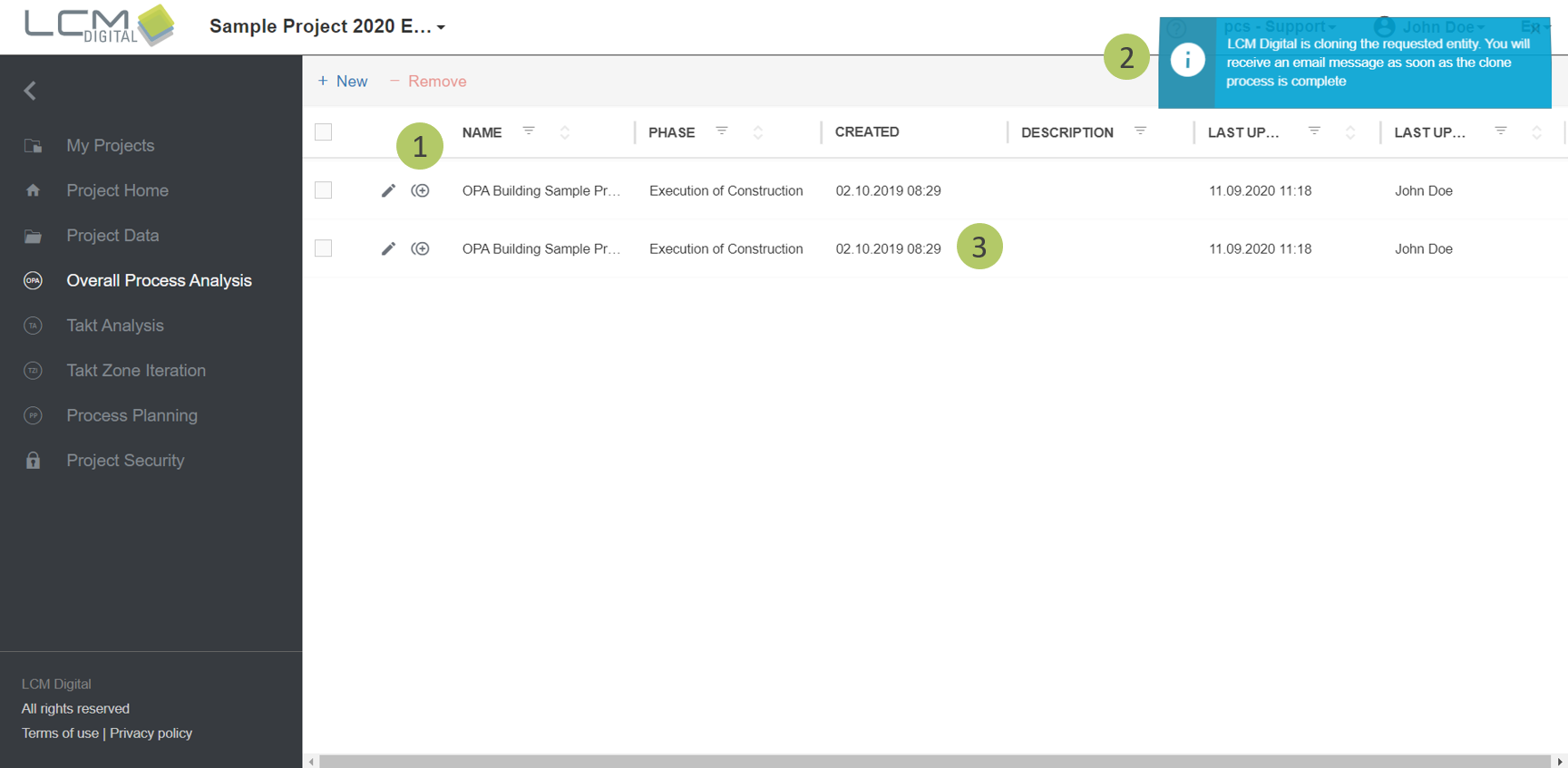
The Clone functionality generates a copy of that OPA with exactly the same content as in the original OPA.
1. Click on the Clone icon .
2. A message will appear that the cloning action is taking place.
3. A message will appear that the cloning action is taking place and you will receive an E-Mail as soon as it it is done.
Remove an Overall Process Analysis
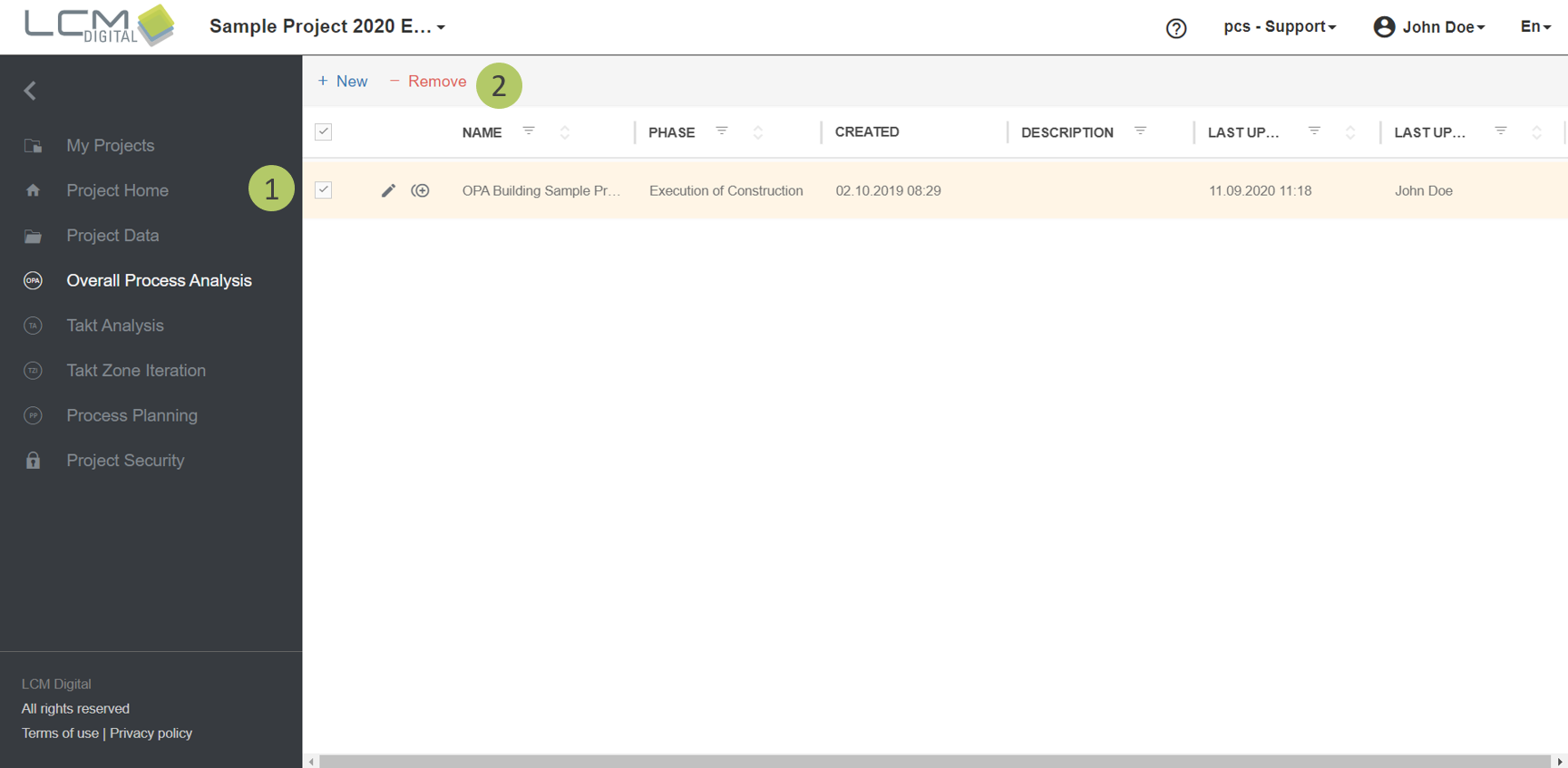
1. Select the item/s from the list of OPAs by clicking on the checkbox.
2. Click on "Remove" to delete the selected OPA/s.