
How to define Takt Types?
A Takt Type is a more detailed classification of the Zone Type.
A Takt Type specifies a Zone Type in terms of size, duration and resources required to execute its processes.
Takt Types for the TA can be defined in the Takt Types library.
In order to create a Takt Type, at least one Zone Type should be defined.
Example: The offices to be built have different sizes; there are big and small offices. The process sequence is the same in all offices, but the duration and resource requirements are different for each of these Takt Types.
Zone Type:
Standard Office
Takt Types:
Small Office
Big Office
...

Create Takt Types
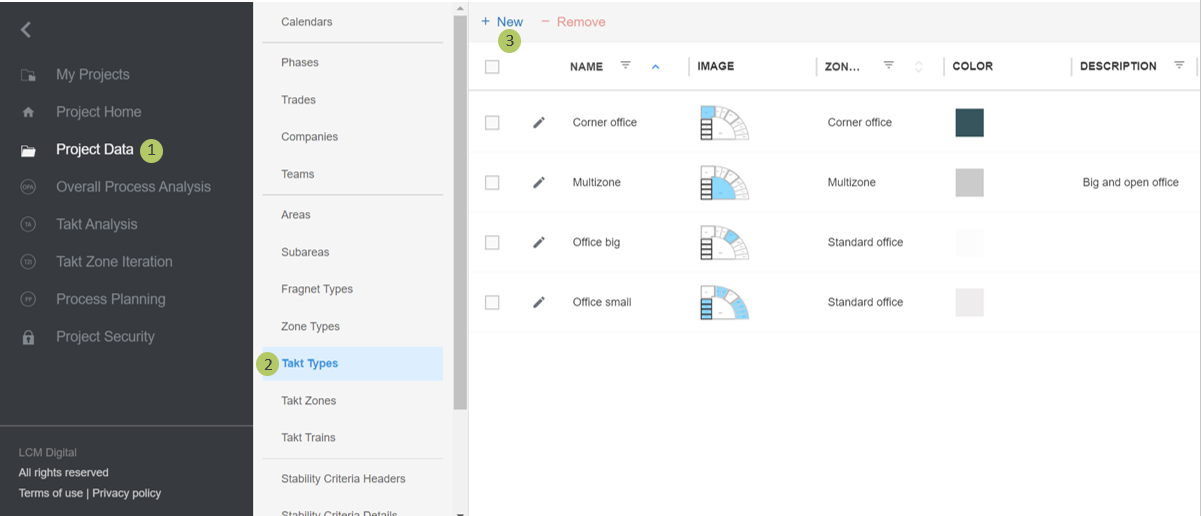
1. Go to Project Data from the Main Menu.
2. Go to Takt Types from the list of Project Data.
3. Click on New to create a new Takt Type.
Edit Takt Types
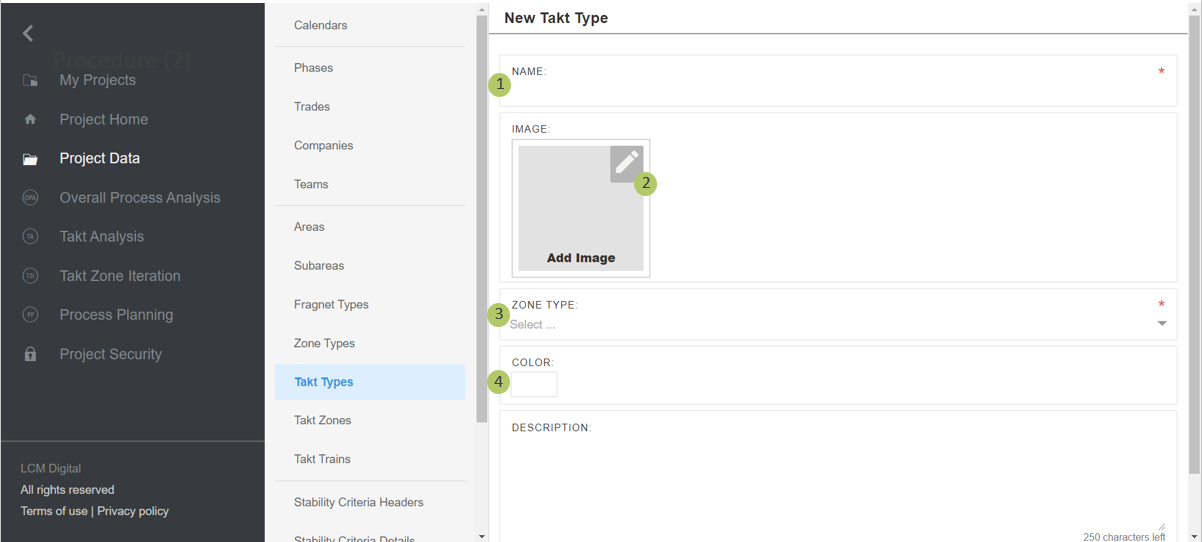
1. Type in the name for the Takt Type.
2. Insert a picture, plan or section of the Takt Type. You can highlight the Takt Type for further visualization. The image of each Takt Type will be shown next to the TA for that Takt Type.
3. Select the already defined Zone Types, to which this Takt Type belongs.
4. If desired, select a color for this Takt Type. This helps for further visualization of Takt Types in the TA and quicker identification of Takt Types in the TA by their color instead of searching for them.
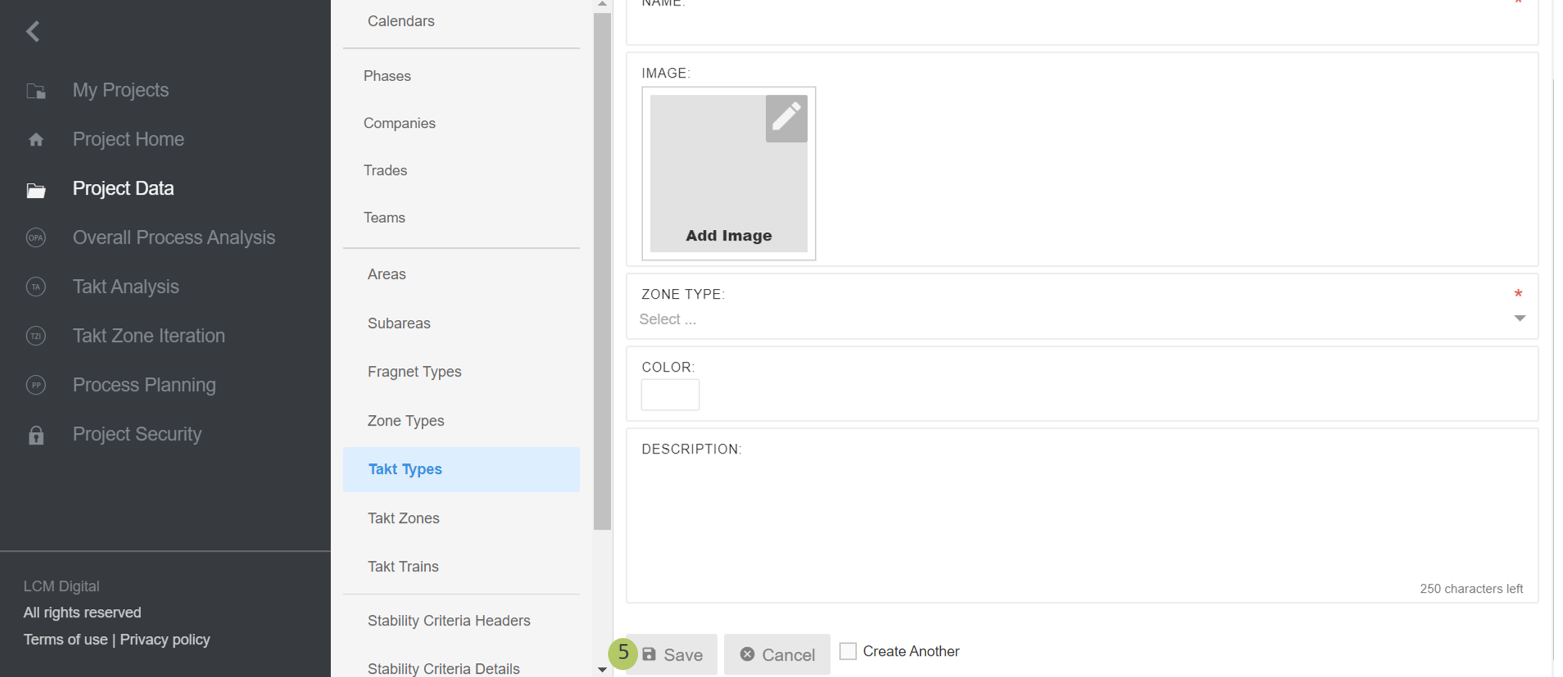
5. Click on Save to save the information and proceed.
Remove Takt Types
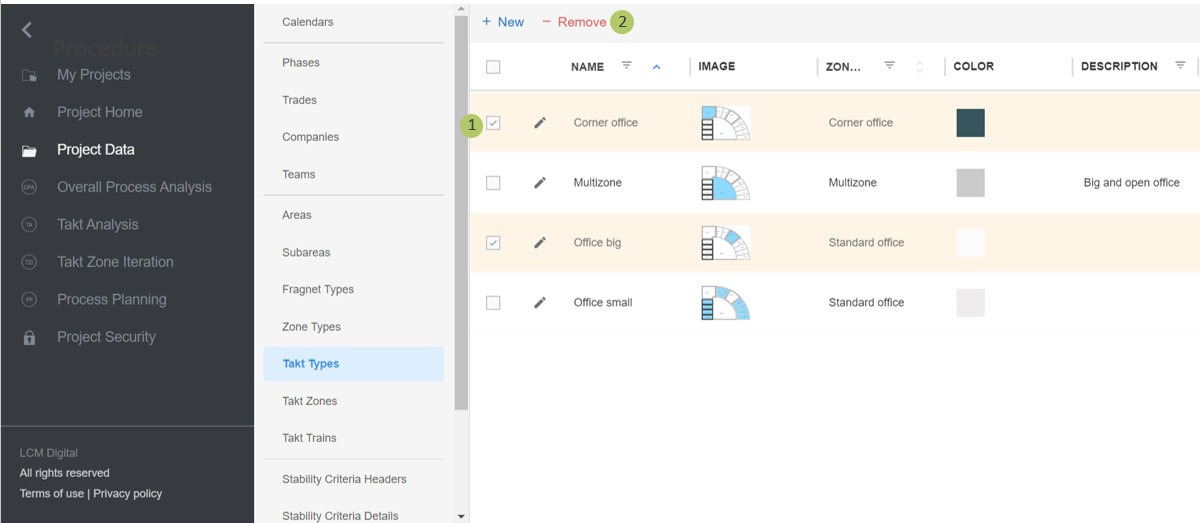
1. Select the item/s from the list of Takt Types by clicking on the checkbox.
2. Click on Remove to delete the selected Takt Type/s.
|
|
Please note: A Takt Type cannot be deleted if in use (in the Takt Analysis). If a Takt Type is deleted all the Takt Zones assigned to this Takt Type will be automatically deleted. |