 oebn
oebn
How to define Zone Types?
A Zone Type represents zones in a project, which have the same sequence of process steps (Fragnet Steps). The processes are however not dependent on the size of the zone and the duration of activities within that zone.
When creating the OPA these Zone Types will be analyzed by defining their Fragnet Steps as well as the sequence of those Fragnet Steps. Please refer to OPA for further information.
Zone Types can be created in the “Zone Types” library but can also be created directly in the OPA screen.
Example: A building with 3 floors and several offices per floor is to be built. While the individual offices differ in size, the processes and their sequence are always the same. That is why there is exactly one Zone Type for all offices.

Create Zone Types
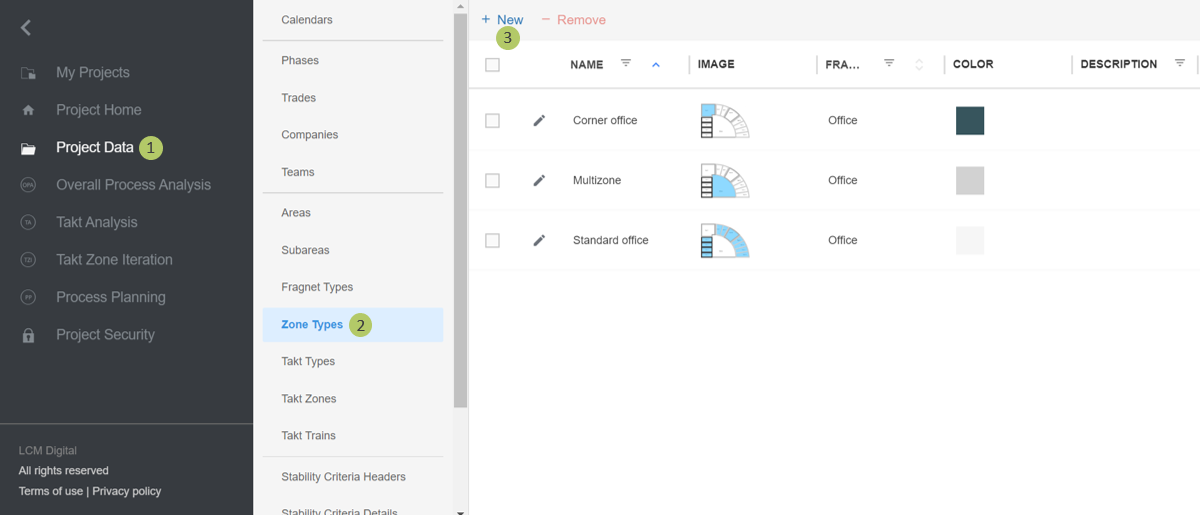
1. Go to Select Project Data from the Main Menu.
2. Go to Zone Types from the list of Project Data.
3. Click on New to create a new Zone Type.
Edit Zone Types
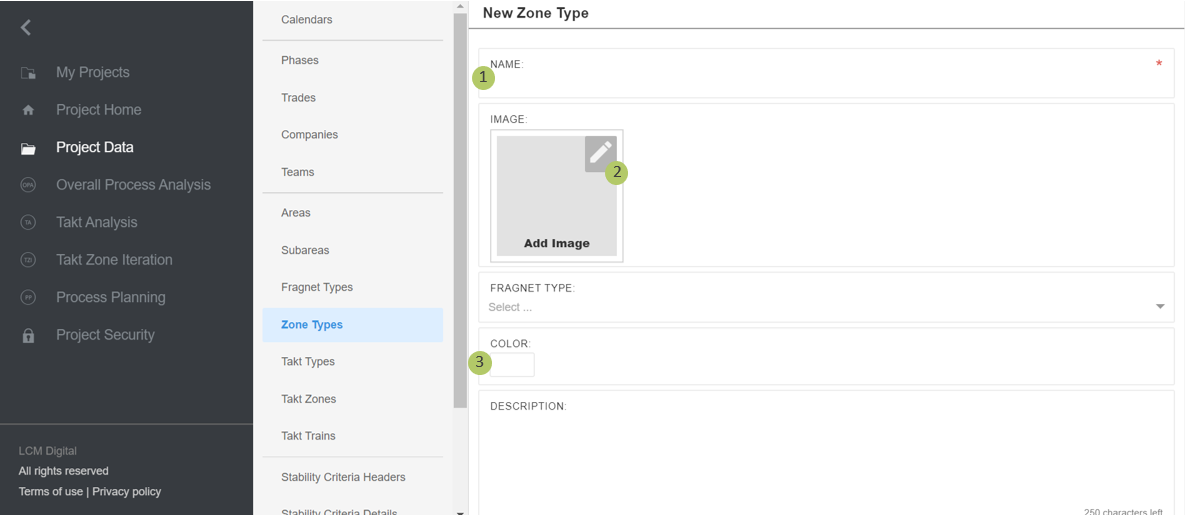
1. Type in the name of the Zone Type.
2. Insert a picture, plan or section of the Zone Type. You can highlight the Zone Type for further visualization. The image of each Zone Type will be shown next to the OPA for that Zone Type.
3. If desired, select a color for this Zone Type. This helps for further visualization and quicker identification of Zone Types in the OPA by their color instead of searching for them.
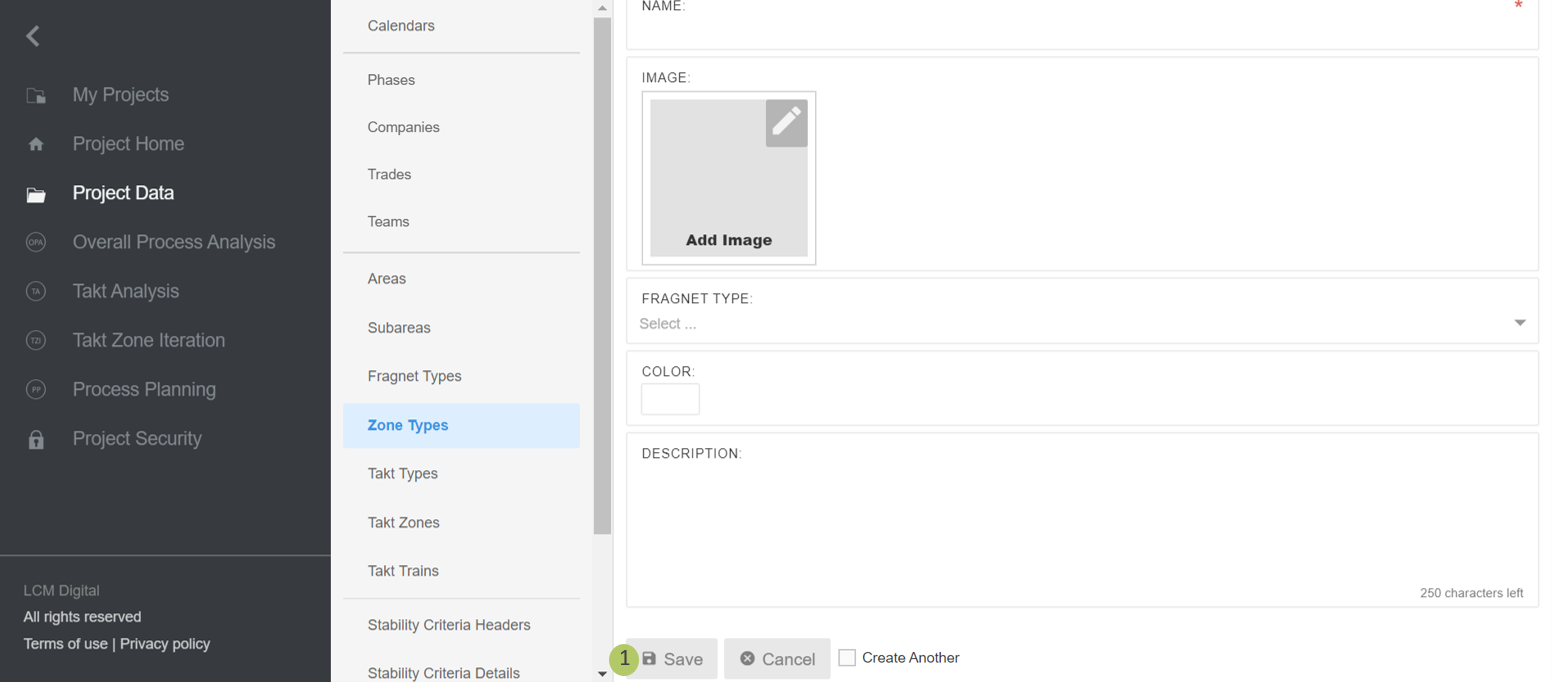
4. Click on Save to save the information and proceed.
Remove Zone Types
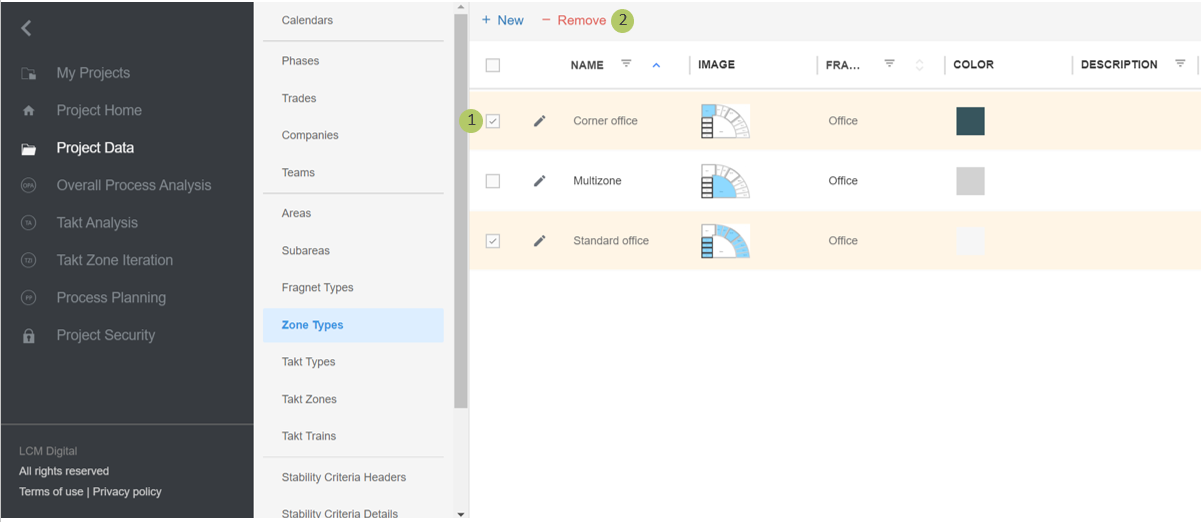
1. Select the item/s from the list of Zone Types by clicking on the checkbox.
2. Click on Remove to delete the selected Zone Type/s.
|
|
Please note: A Zone Type cannot be deleted if in use (in Overall Process Analysis). If a Zone Type is deleted all the Takt Types assigned to this Zone Type and Takt Zones belonging to those Takt Types will be automatically deleted. |