
How to define Subareas?
A Subarea is the second highest tier of a project that gives further specification regarding the vertical location within that Area i.e. the number of Floor.
The concept of introducing Subareas to a project is used as part of the Work Breakdown Structure and in software such as Primavera or C3D (a visual project controls software).
Every Subarea is assigned to an Area, hence to create a Subarea, at least one Area must be defined.
The Subareas library is necessary to manually or automatically generate Takt Zones. Further information about the necessity of defining Subareas in order to create the mentioned parameter can be found using the following sections of the Users Guide:
- Manually creating Takt Zones
- Automatically generating Takt Zones
Examples: the number of floor in House A: Ground Floor, First Floors, etc.

Create Subareas
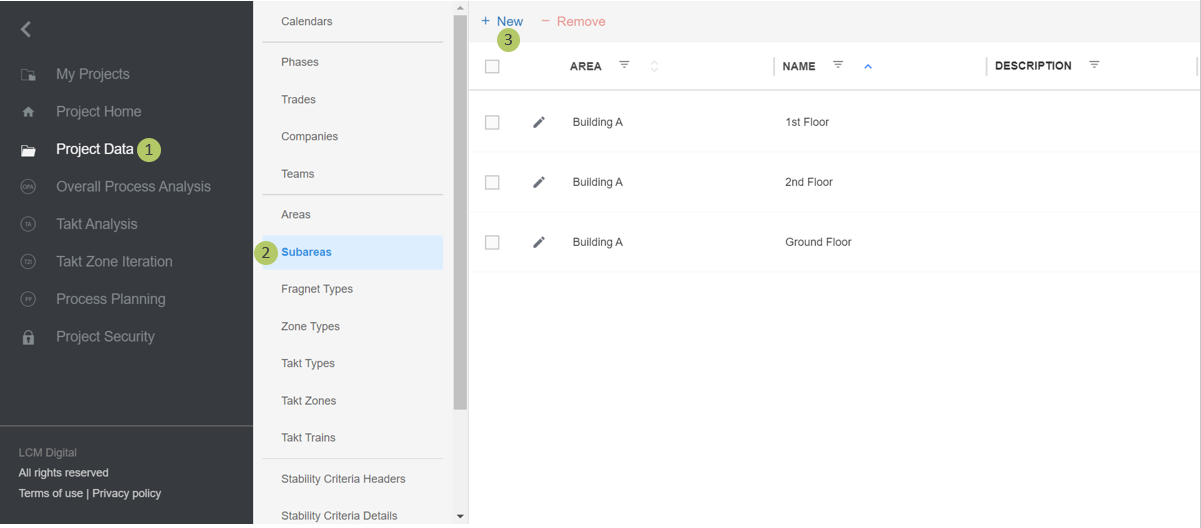
1. Go to Select Project Data from the Main Menu.
2. Go to Subareas from the list of Project Data.
3. Click on New to create a new Subarea.
Edit Subareas
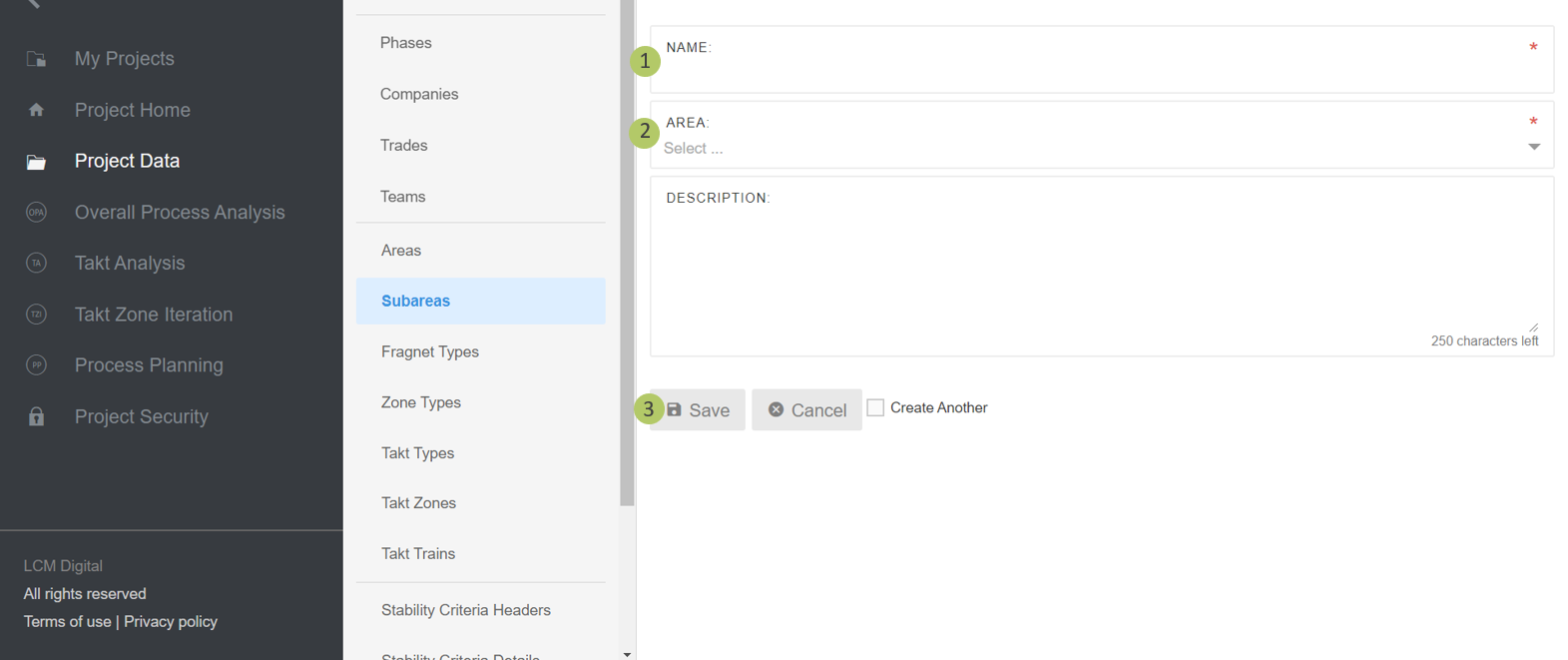
1. Insert a name for this Subarea.
2. Select the Area that belongs to this Subarea.
3. Click on Save to save the information and proceed.
Remove Subareas
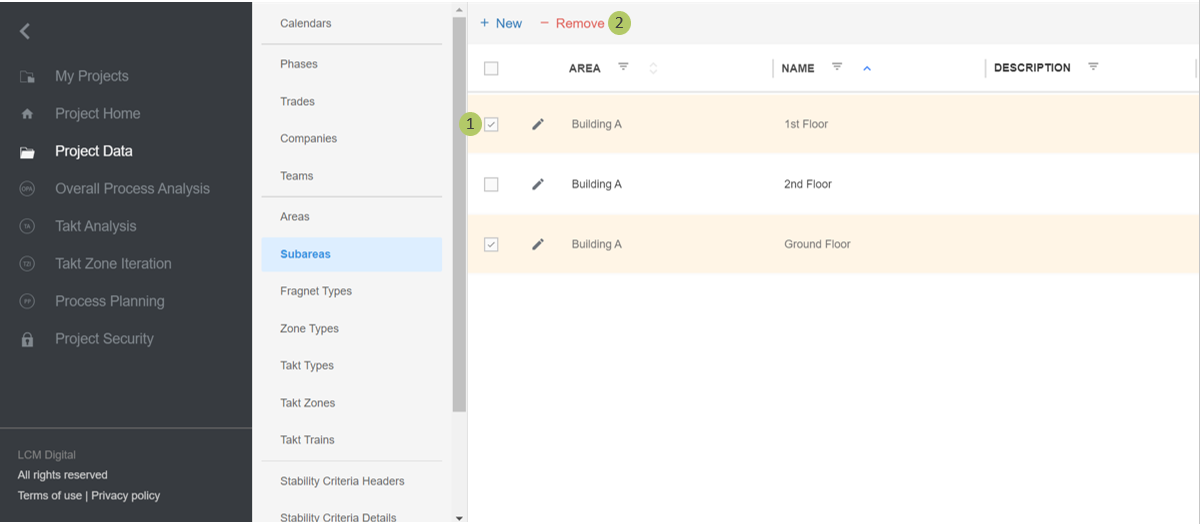
1. Select the item/s from the list of Subareas by clicking on the checkbox.
2. Click on Remove to delete the selected Subarea/s.
|
|
Please note: a Subarea cannot be deleted if in use. i.e. if already assigned to a Takt Zone. |