
How are Phases defined?
A Phase is a stage in the project.
The phases, which are relevant to the project can be defined in Phases library.
These phases can then be added as properties to the followings:
- Trades
- Overall Process Analysis
- Takt Analysis
Examples: schematic design, design development, construction documents and construction.

Create Phase
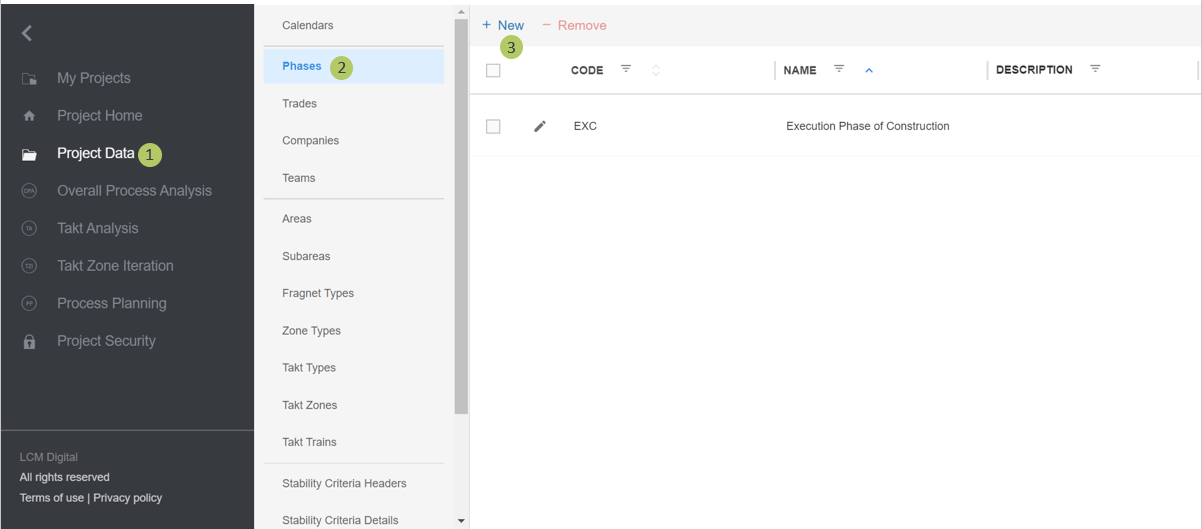
1. Go to Select Project Data from the Main Menu.
2. Go to Phases from the list of Project Data.
3. Click on New to create a new Phase.
Edit Phase
1. Write the name of the phase.
2. The Phase Code is a short term for the Phase and appears as information on Fragnet Steps and Job Cards.
3. Click on Save to save the information and proceed.
4. Click on Save to save the information and proceed.
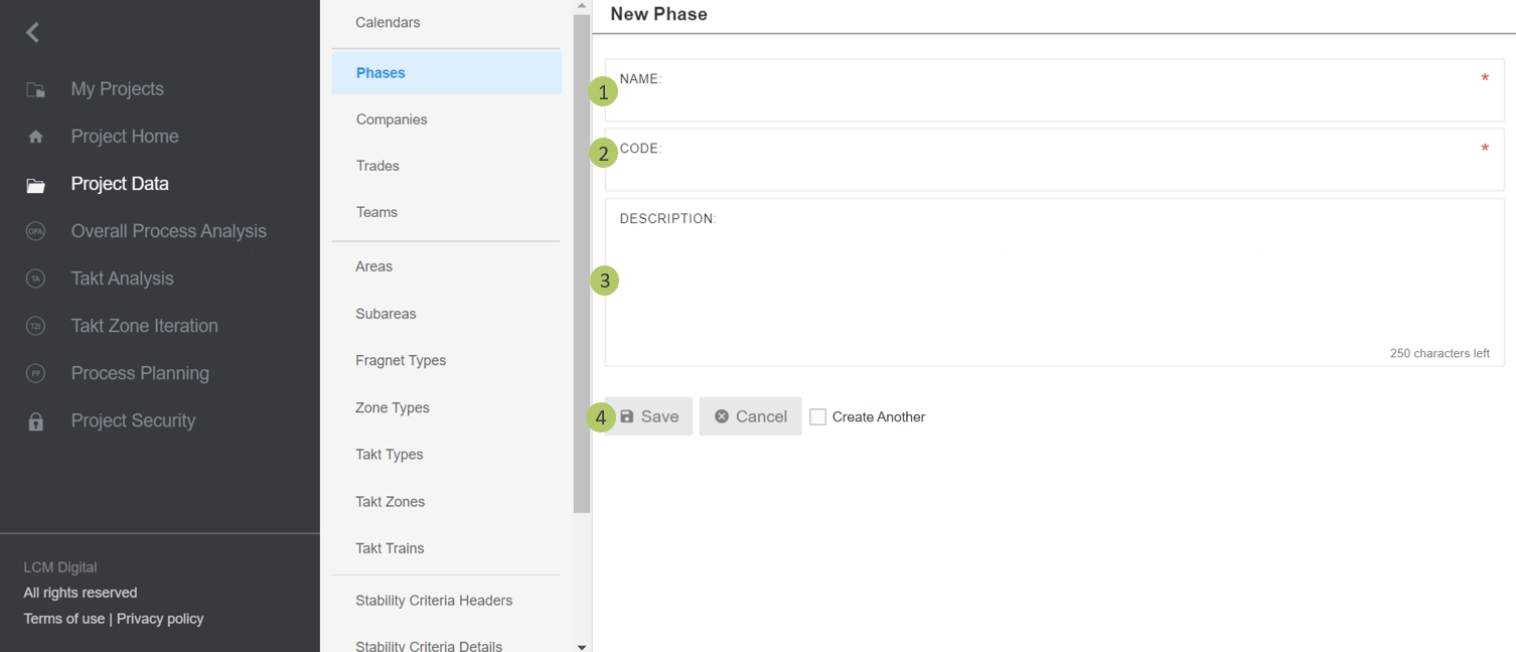
Further description can be added to this phase if necessary. For instance, if the Phase name is LPH 5, in the description it can be written that this is the construction phase based on HAOI standards in Germany.
|
|
Please note: The description box follows the same logic throughout the creation of other items in LCM Digital. |
Remove Phase
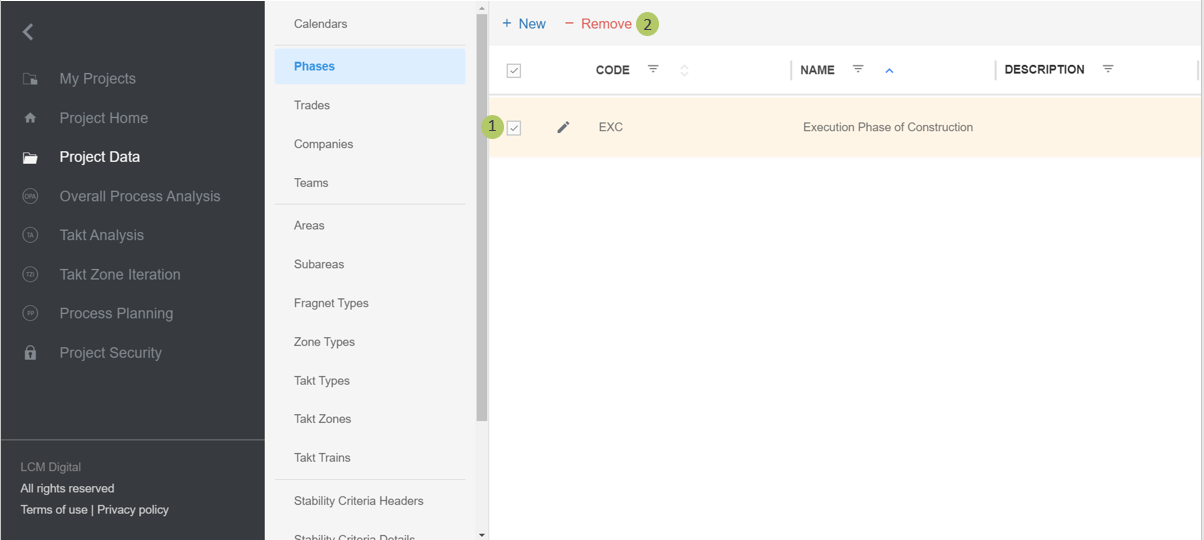
1. Select the item from the list of Phase by clicking on the checkbox.
2. Click on Remove to delete this Phase.
|
|
Please note: a Phase cannot be deleted if in use i.e. a Trade or OPA and TA, which have this Phase as a property or has process steps with this phase as a property. |