How to define Materials?
Materials and manpower are the resources that can be assigned to activities.
In the Materials library the user can define and manage the materials in the project.
In the TA and Process Plan, each Material that is defined can be assigned to a Trade | Company | Phase.
In the Process Plan Materials and their quantities can be assigned to process steps. With the help of the Material Chart users are able to efficiently plan their delivery and logistics. Refer to Material Chart for further information.
Example: Electrical Cables with the units of euro pallets are assigned to Electrical | ELT | Con or Concrete with the units of m³ can be assigned to Concrete | CNC | Con.

Create Materials
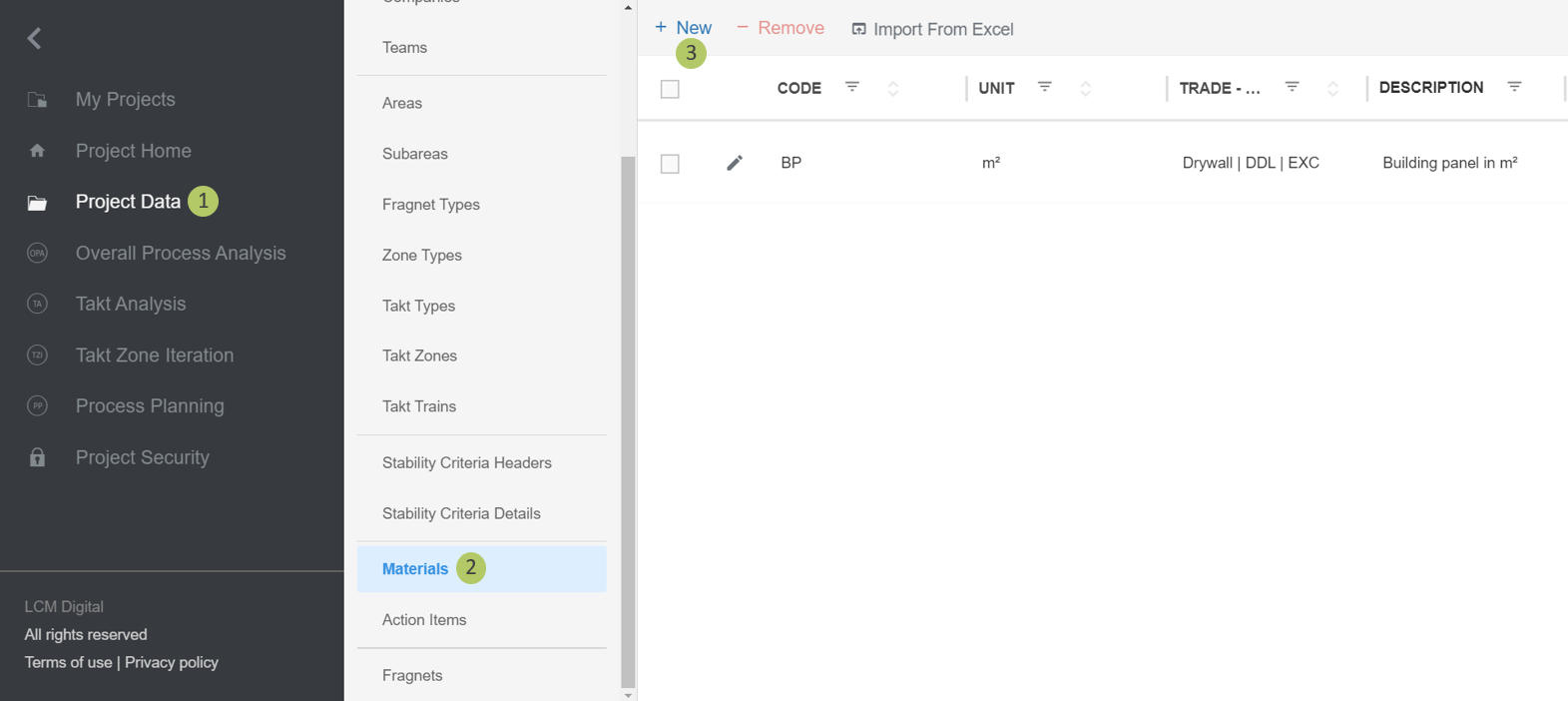
1. Go to Project Data from the Main Menu.
2. Go to Materials from the list of Project Data.
3. Click on New to create a new Material.
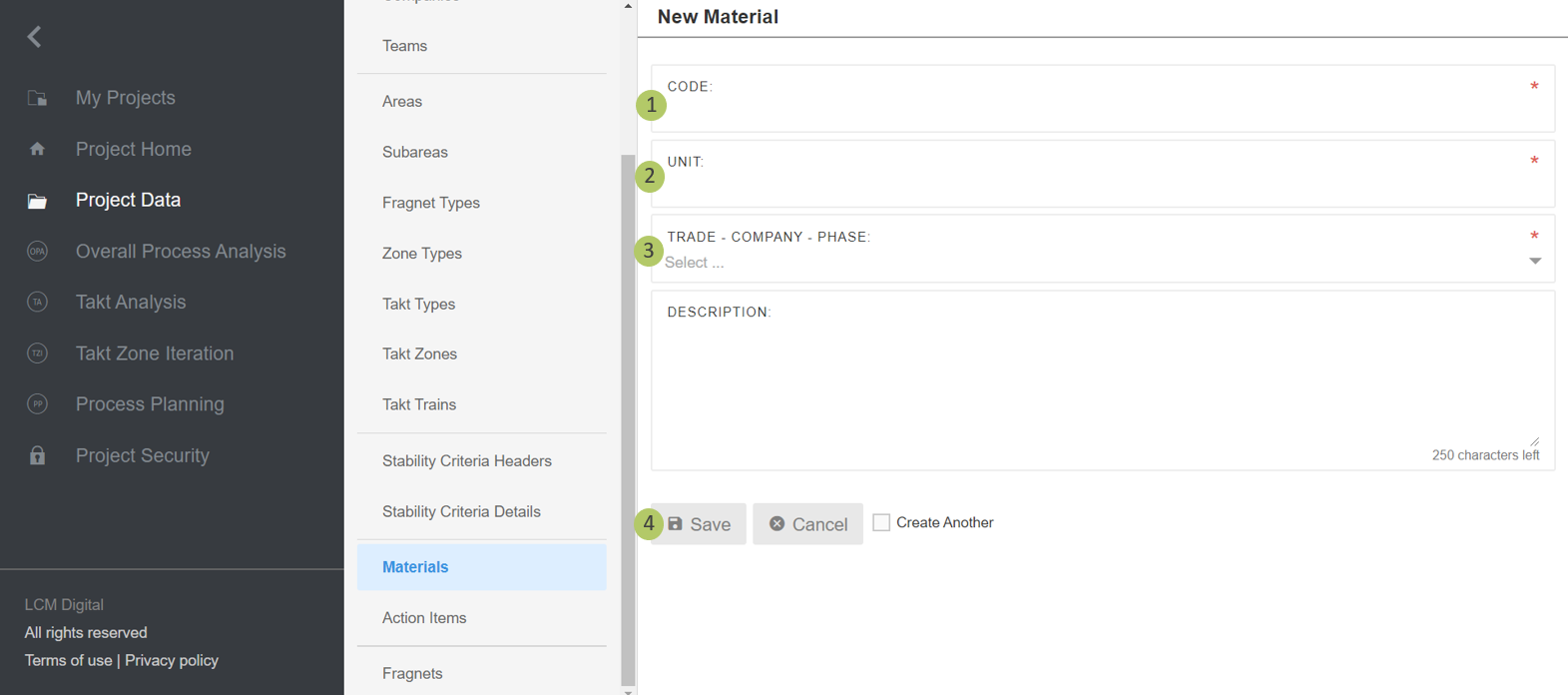
1. Type in the code for this Material.
2. Choose a unit for this Material.
3. Select a Trade-Company-Phase that belongs to this Material.
4. Click on Save to save the information and proceed.
Remove Materials
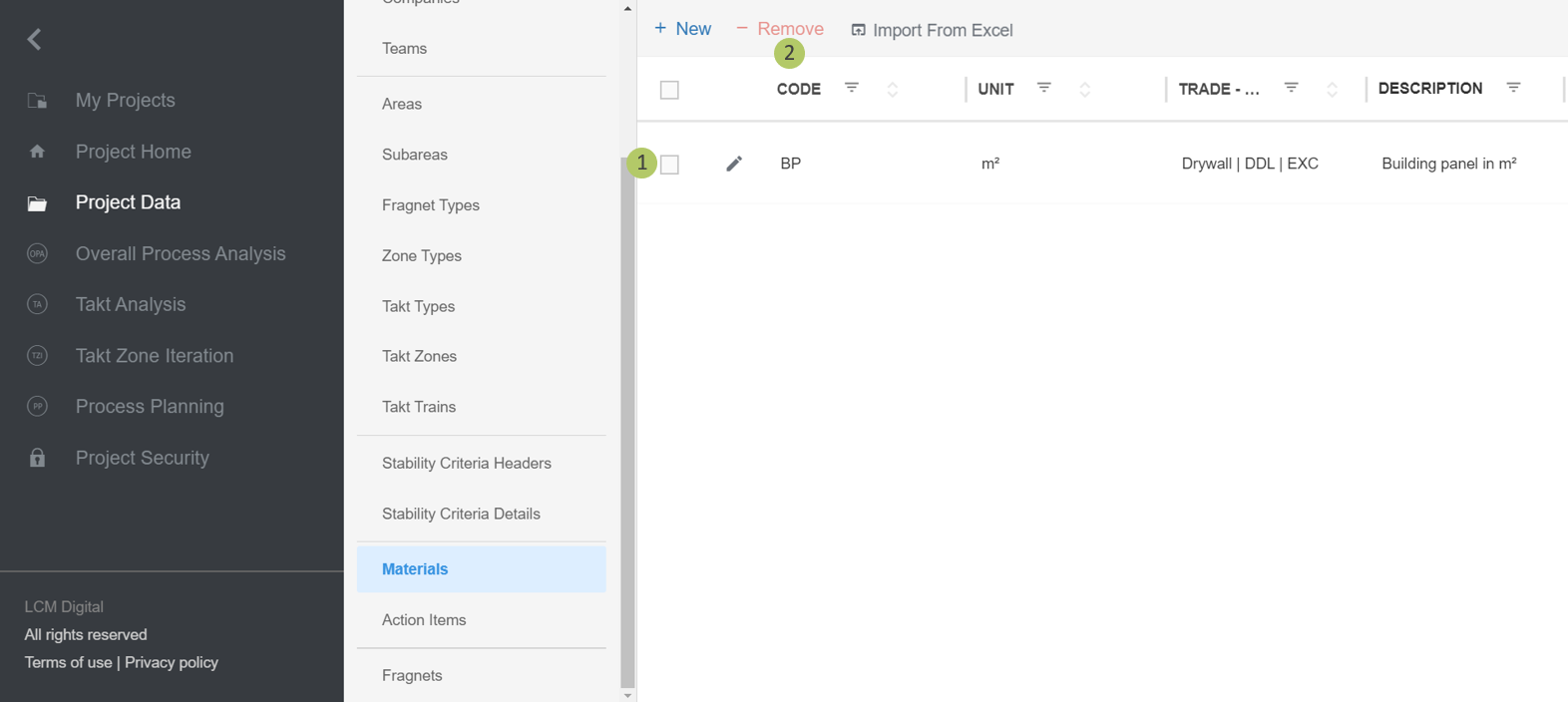
1. Select the item/s from the list of the Materials by clicking on the checkbox.
2. Click on Remove to delete the selected Material/s.