
- How to define Stability Criteria Header?
- Create Stability Criteria Header
- Remove Stability Criteria Header
How to define Stability Criteria Header?
Stability Criteria is used in the Process Plan to ensure that the work being planned can actually be done. The idea is to actively and in a timely manner check the prerequisites for executing a task.
Stability Criteria Header is essentially a checklist of items, which need to be completed before a task starts.
Every Company and Trade can have its own Stability Criteria Header.
In this library the higher level term for the Stability Criteria, the Stability Criteria Header (the checklist) is defined, under which one or more Stability Criteria Details (the items on the checklist) can be defined. Refer to Stability Criteria Details for further information.
The prerequisites to create a Stability Criteria Header are Company and Trade.
Example: Drywall Stability Criteria is a Stability Criteria Header, a check list of items, which need to be done before a Drywall Fragnet Step can be executed.

Create Stability Criteria Header
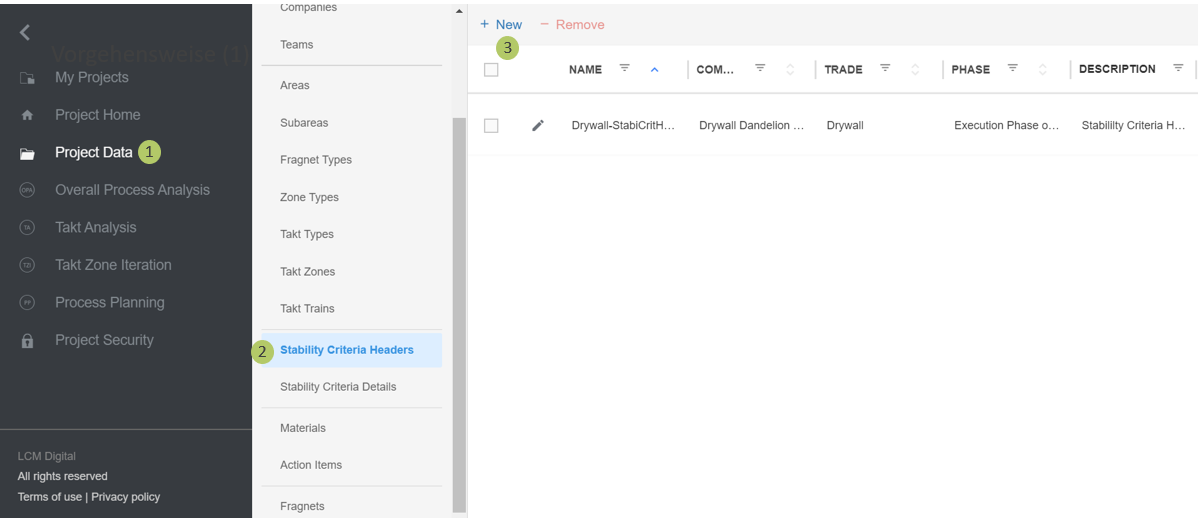
1. Select Project Data from the Main Menu.
2. Go to Stability Criteria Header from the list of Project Data.
3. Click on New to create a new Stability Criteria Header.
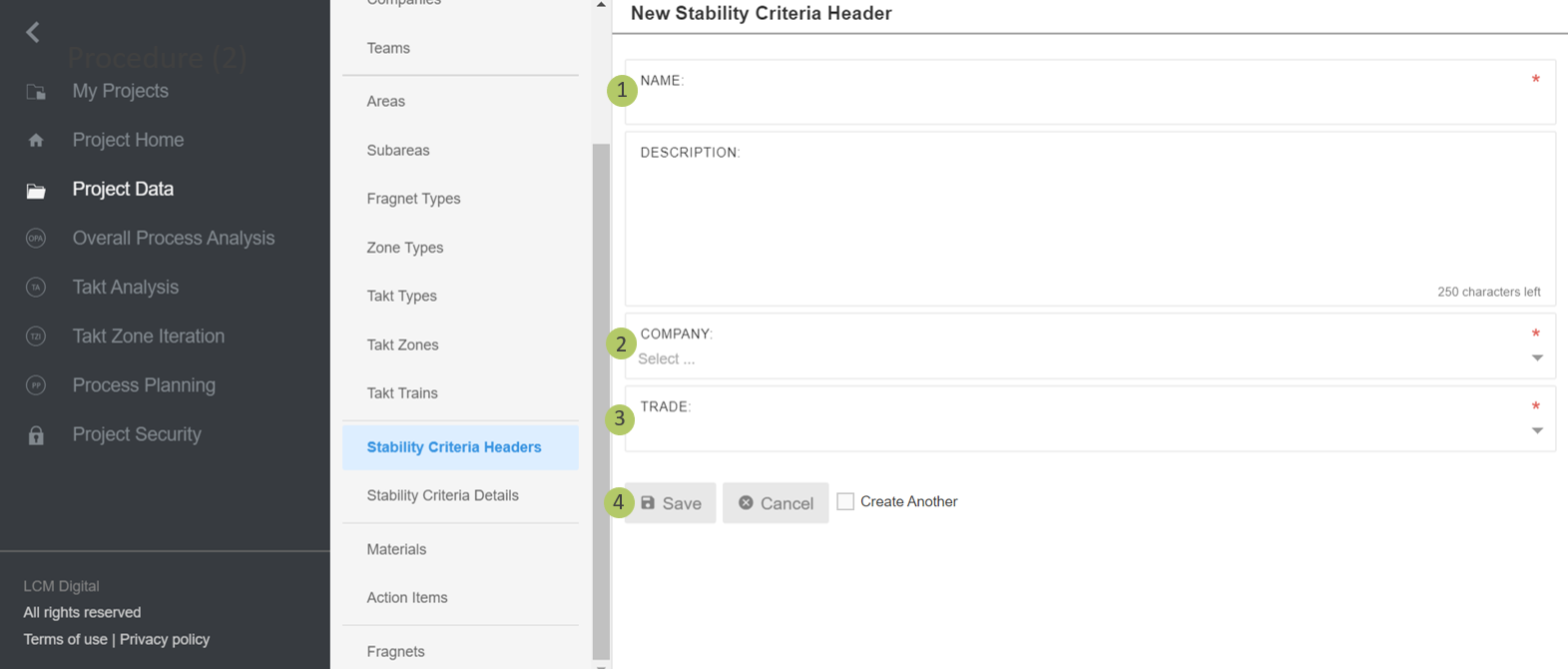
1. Type in the name of the Stability Criteria Header.
2. Select the company to which this Stability Criteria belongs.
3. Select the Trade to which this Stability Criteria belongs.
4. Click on Save to save the information and proceed.
Remove Stability Criteria Header
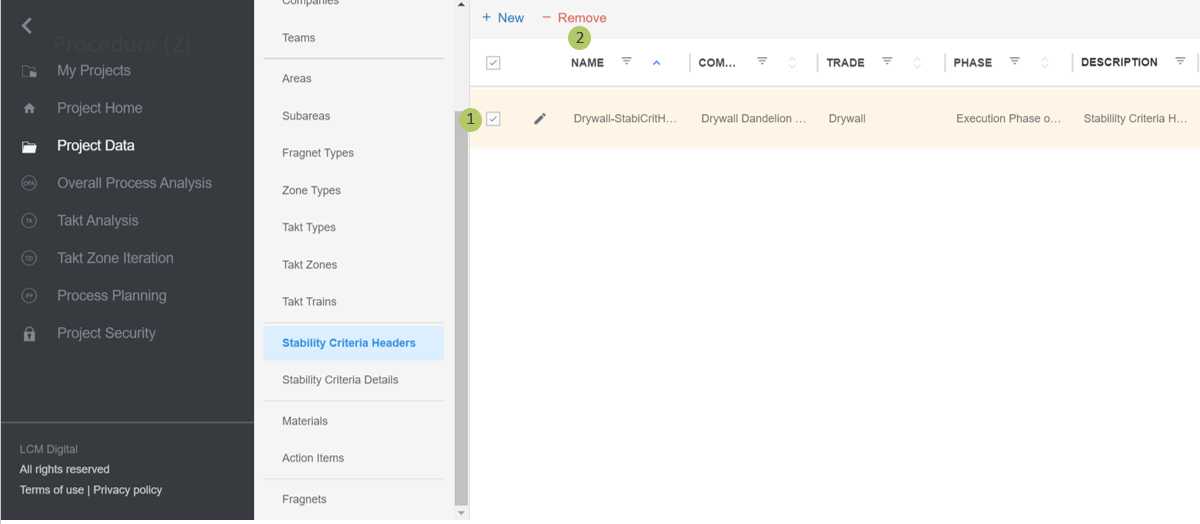
1. Select the item/s from the list of Stability Criteria Header by clicking on the checkbox.
2. Click on Remove to delete the selected Stability Criteria Header.
|
|
Please note: If a Stability Criteria Header is deleted, all the Stability Criteria Details assigned to it will be automatically deleted. The Stability Criteria Header cannot be deleted if in use in the Process Plan. |