
How to define Fragnet Types?
Fragnet Types indicate a general category for Zones in projects. Zones that fall under one Fragnet Type have similar process steps (Fragnets). Assigning a Type to a Fragnet makes it easier to plan future projects that have similar Zones.
In the Fragnet Types library, all the Fragnet Types relevant to this project can be defined. These Fragnet Types can then be assigned to Zone Types and Fragnets in the OPA, TA and PP.
Example: all kitchens fall under the category of kitchen Fragnet Type.

Create Fragnet Types
1. Go to Project Data from the Main Menu.
2. Go to Fragnet Types from the list of Project Data.
3. Click on New to create a new Fragnet Type.

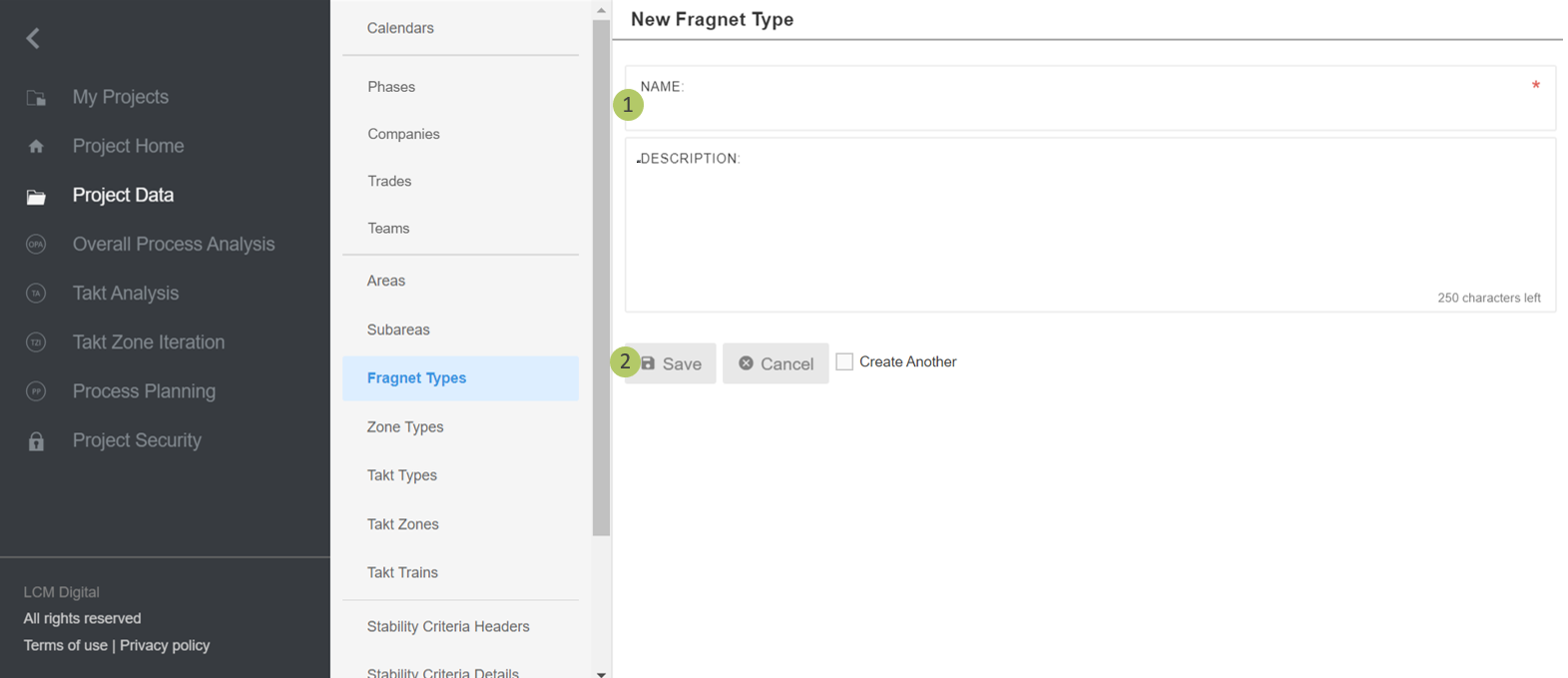
Edit Fragnet Type
1. Insert a name for this Fragnet Type.
2. Click on Save to save the information and proceed.
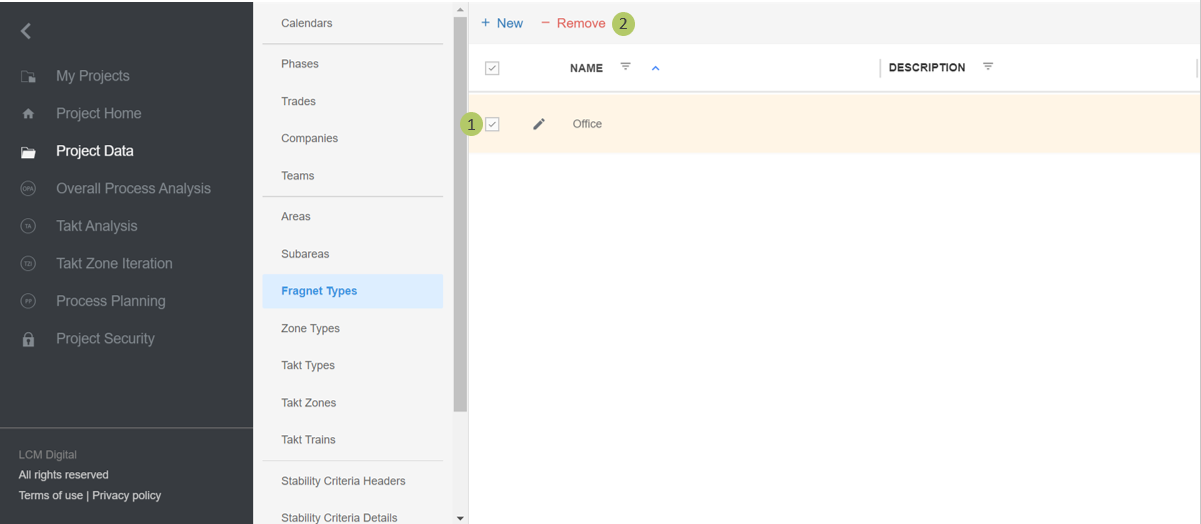
Remove Fragnet Type
1. Select the item/s from the list of Fragtnet Types by clicking on the checkbox.
2. Click on Remove to delete the selected Fragnet Type/s.
|
|
Please note: a Fragnet Type cannot be deleted if already assigned to a Zone Type. |