
- What is the manpower chart?
- Display the manpower chart
- Switch between cumulated utilization view and average utilization view
- Activate and deactivate bar chart
- Export manpower chart to PDF
What is the manpower chart?
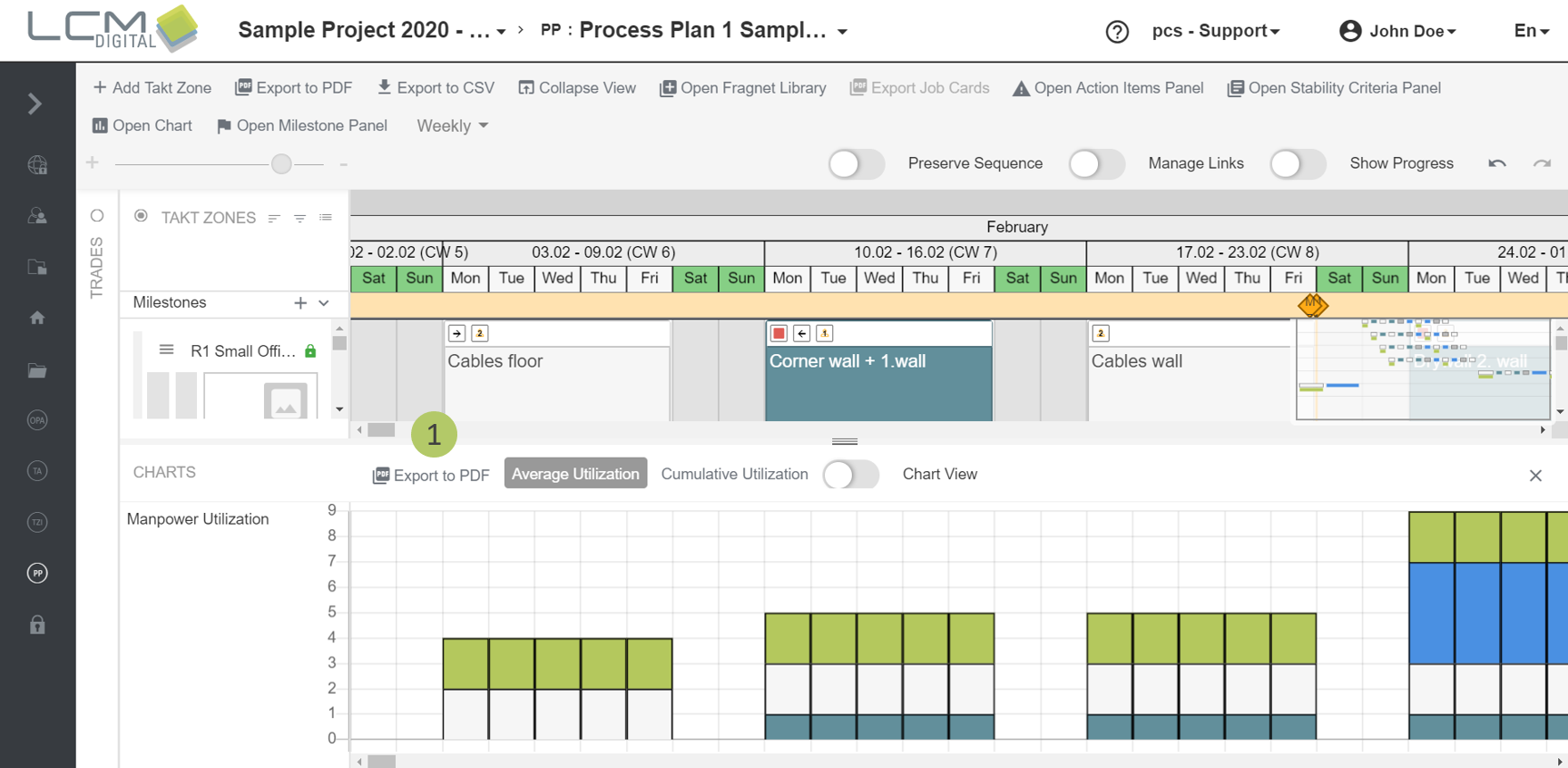
It is possible to have a real-time manpower chart displayed at the bottom of the Process Plan. This means that the effects of moving process steps or resources can be seen directly and in real time.

Display the manpower chart
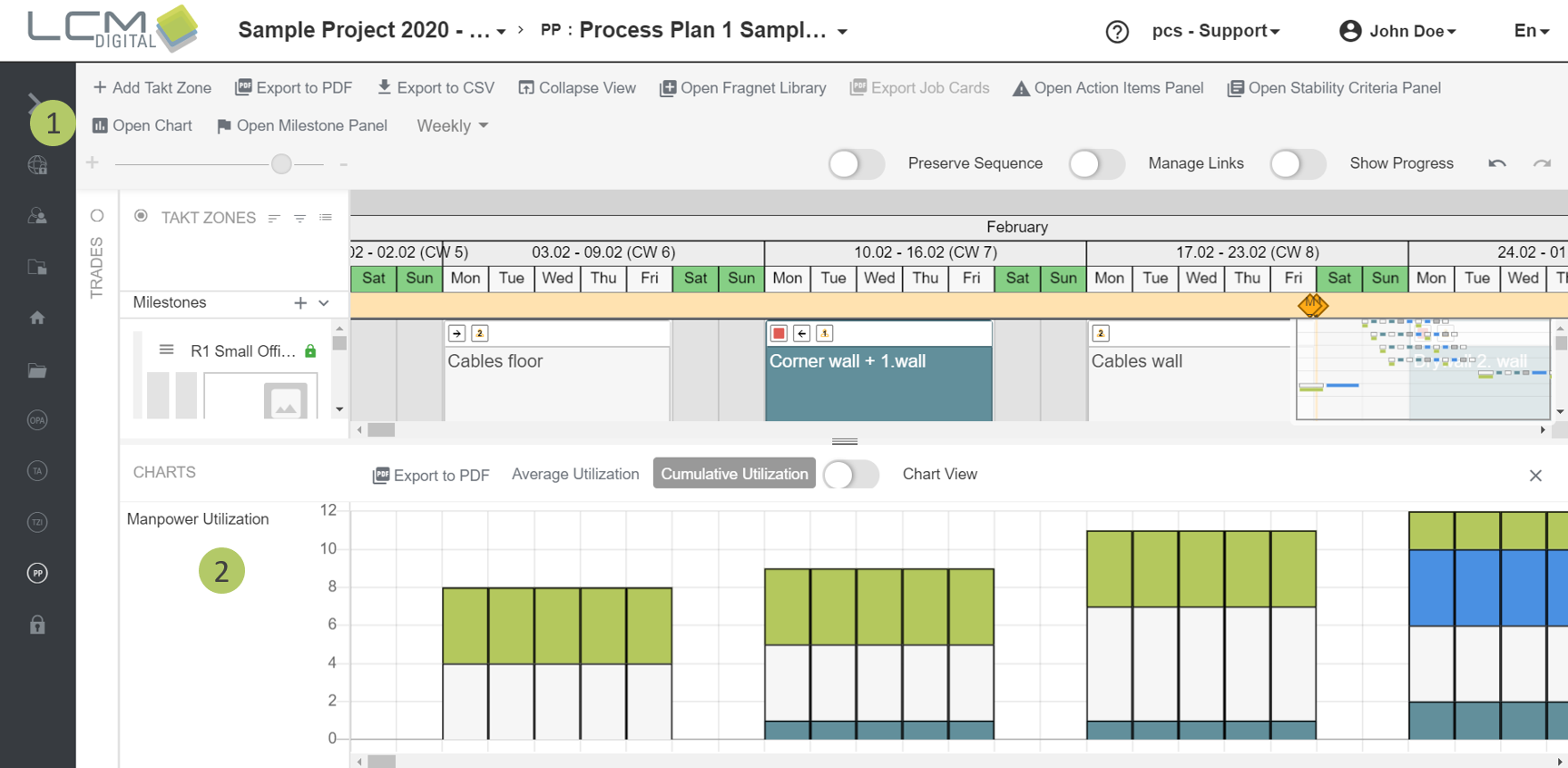
1. Click on „Open Chart“ in the Process Plan.
2. The Manpower Chart will be opened at the bottom of the screen.
3. You can close the chart with the X symbol.
Switch between cumulated utilization view and average utilization view
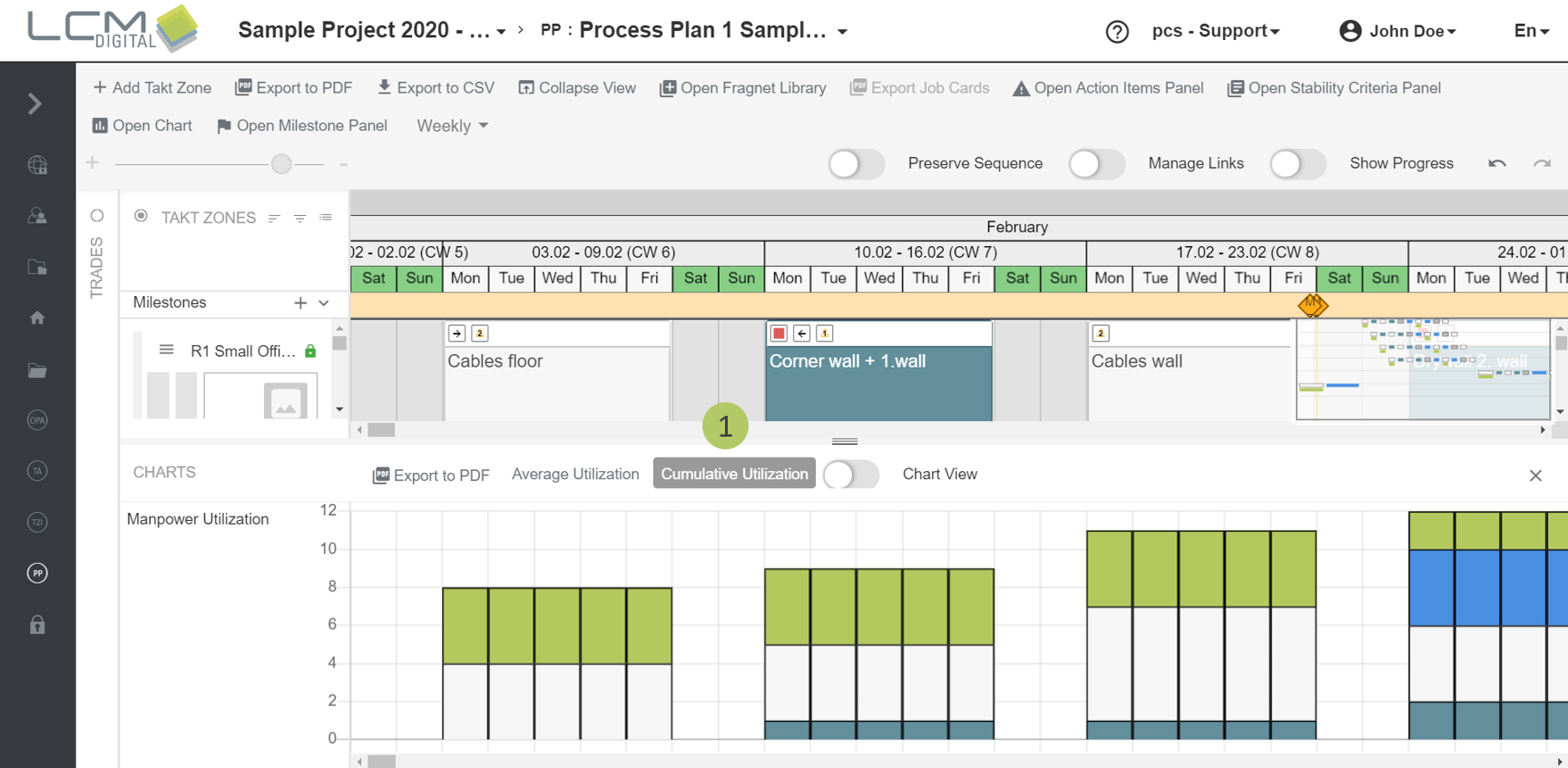
There are two options to view the manpower utilization chart. The first option is the Cumulative sum of the manpower in the Takt Zones which are filtered in the process plan.
Important: The Manpower Chart only shows the filtered trades.
1. Click on „Cumulative Utilization“.
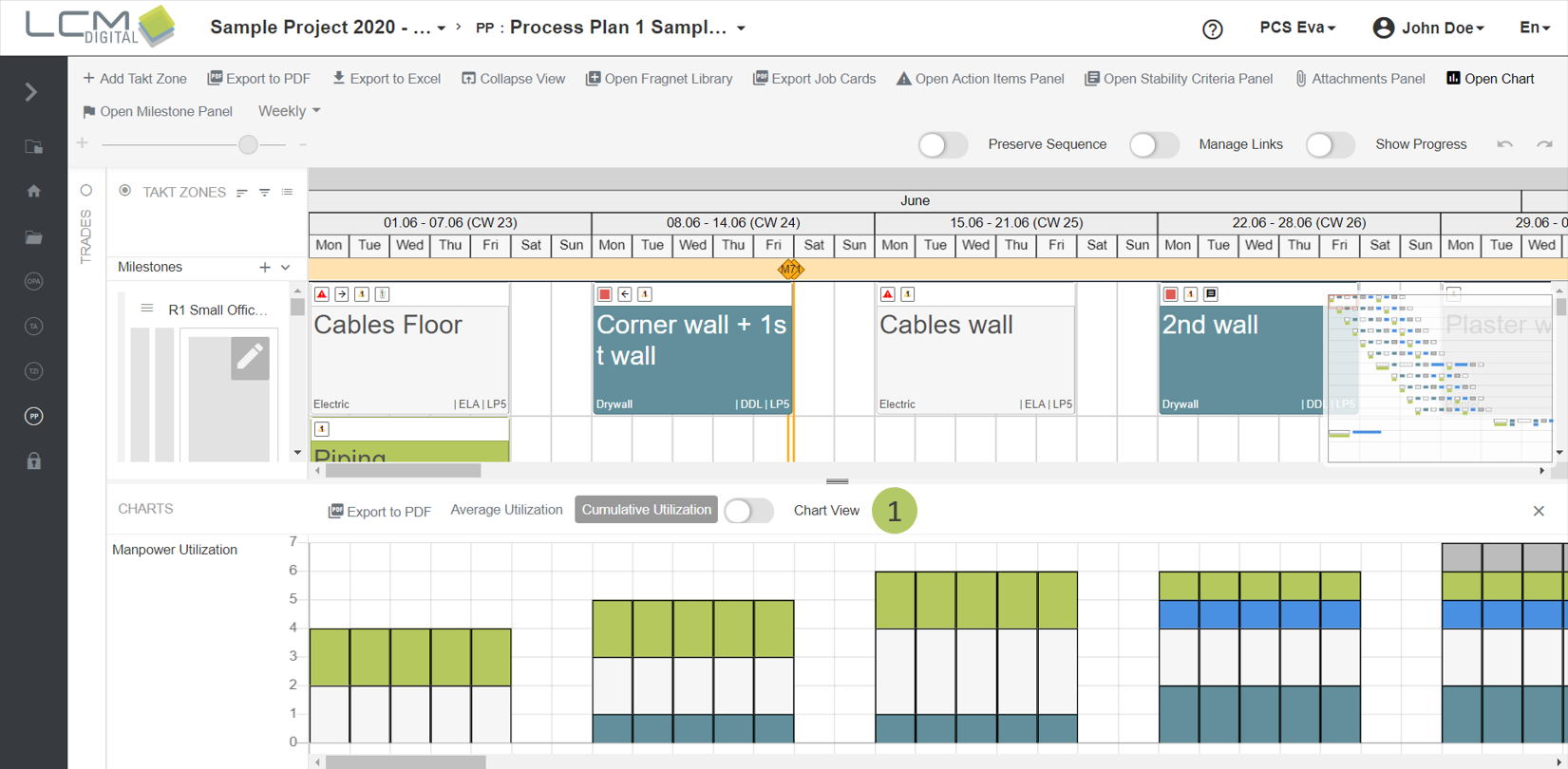
The second option is the average (sum/number of working days per week or month as per the project calendar) with two decimal points of precision.
2. Click on "Average Utilization".

Activate and deactivate bar chart
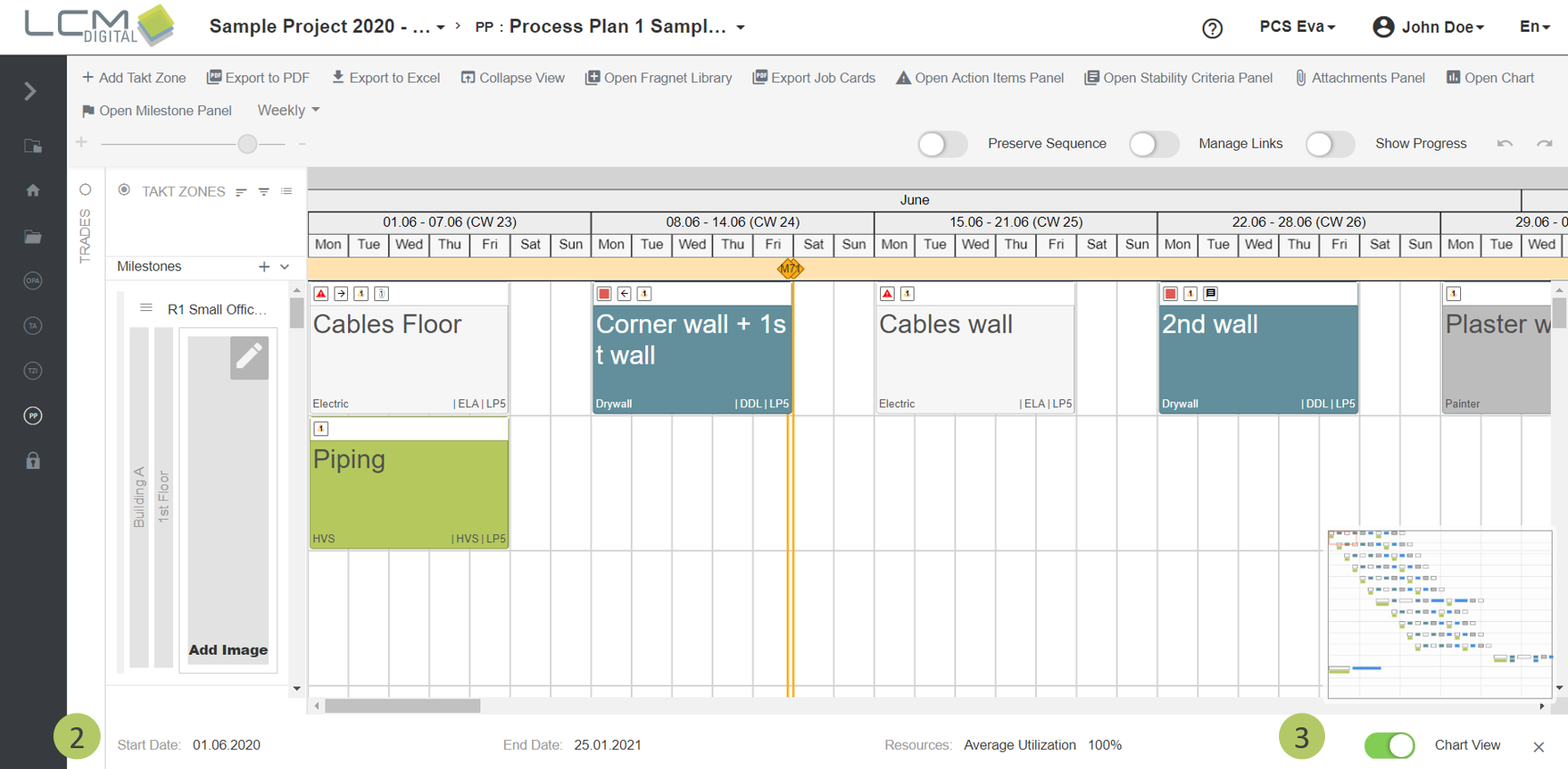
To view only the project start and end and the percentage of resources used, you can turn off the bar view.
1. Activate the „Chart view“ toggle.
2.Start date, end date and percentage of used resources are shown.
3. Decativate the toggle to return to the chart view.
Export manpower chart to PDF
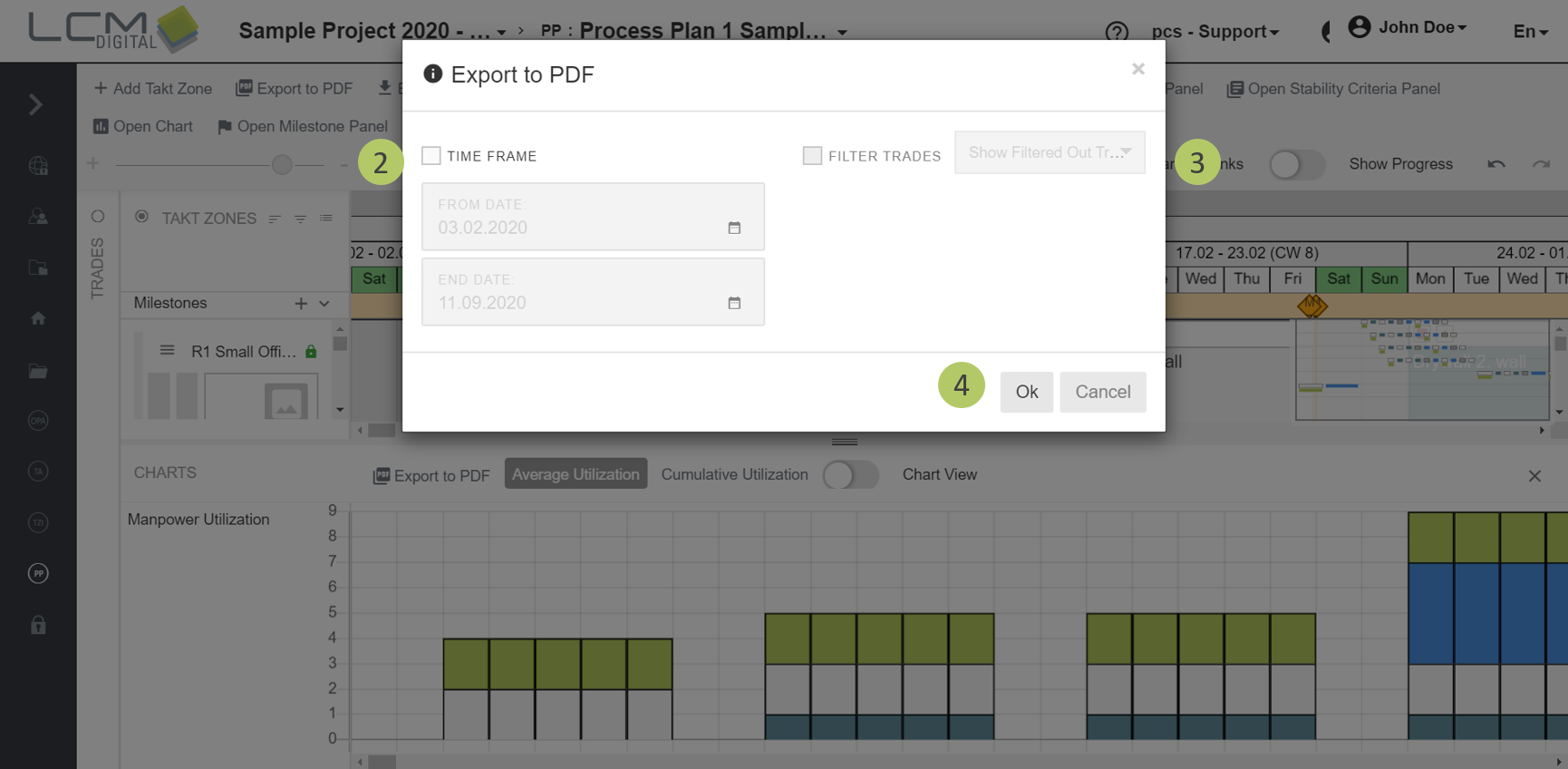
1. Click on "Export to PDF".
2. Optional: Select a time frame that should be exported.
3. Optional: If the trades have been filtered, select whether these trades should also be excluded from the Manpower Chart.
4. Click on „Ok“, to export the file.
You will be informed that your browser downloads the file as soon as the export is finished. You will then find the file in your Downloads folder. Additionally, you will receive an E-Mail with a link so you can download the file manually as well.
|
|
You can also export the manpower chart together with the Process Plan to PDF. Further information can be found in the article about exporting the Process Plan to PDF. |