|
Video: In the video tutorials you can find a video about the Takt Analysis. |
Bring the planned information clearly in a PDF to your meetings and communicate with all project stakeholders.

Export a Takt Analysis to PDF
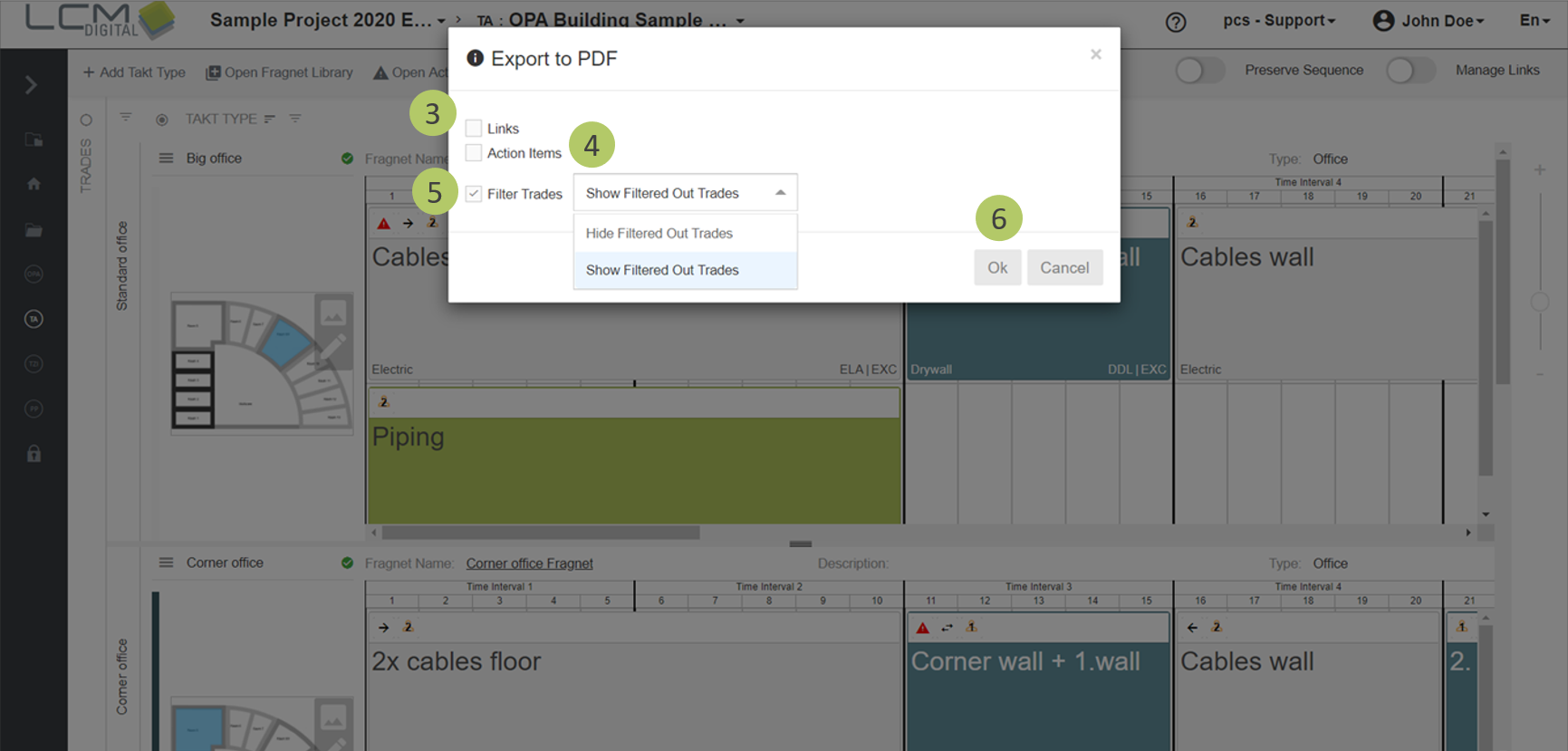
1. Optional: If the TA for certain Takt Types is to be exported to PDF, filter the Takt Types and/or takt zones first with this symbol  . You can also filter the trades via the trades panel.
2. Click on "Export to PDF".
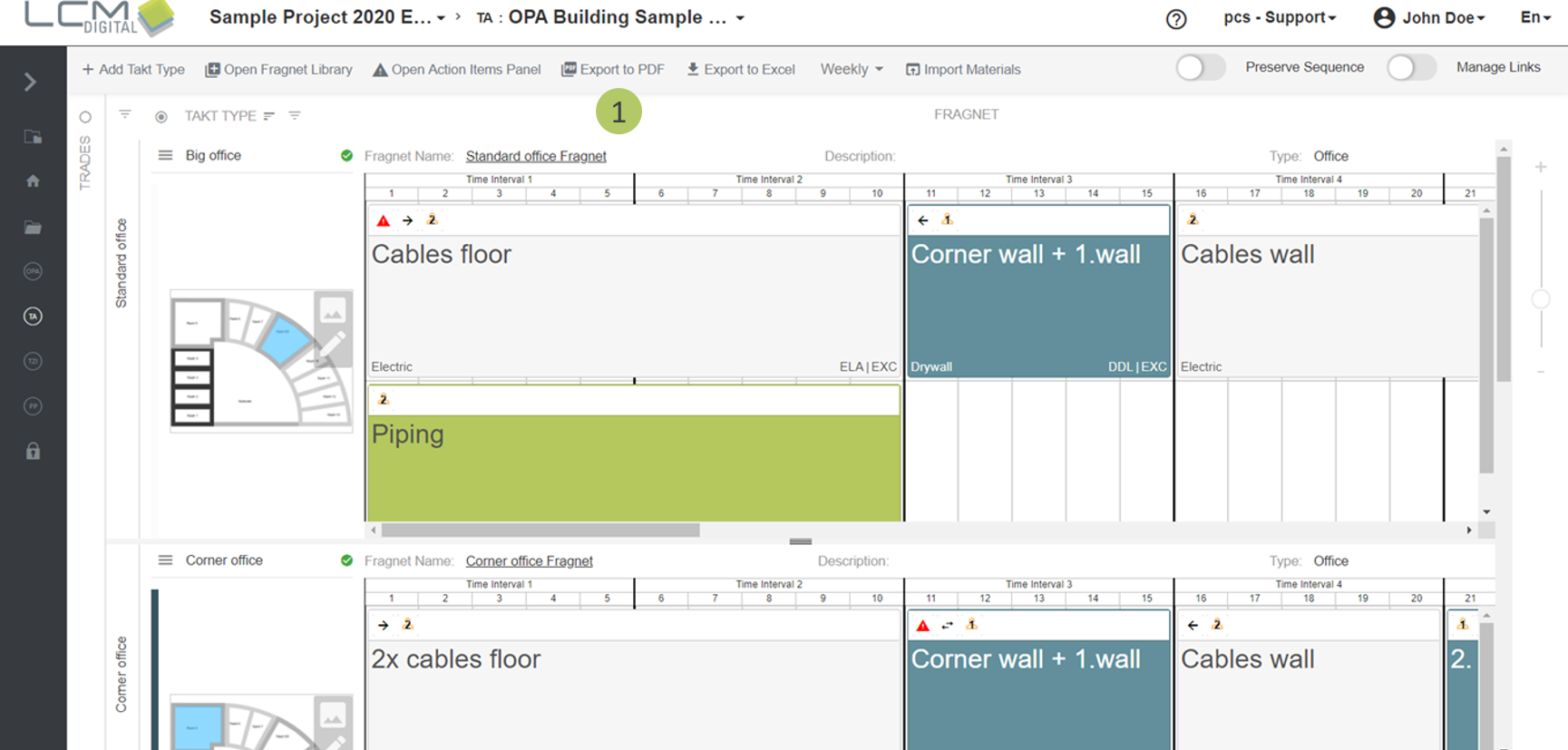
3. Optional: Check the box if you want to export the TA with all links.
4. Optional: Check the box if you want to export the TA with all action items.
5. If you have filtered the trades you can either show the filtered trades as dashed in the exported PDF or keep them hidden. Uncheck the box if you want the filtering of the trades not be respected in the export at all.
6. Click on „Ok“, to proceed and export the TA as PDF.