Project options
|
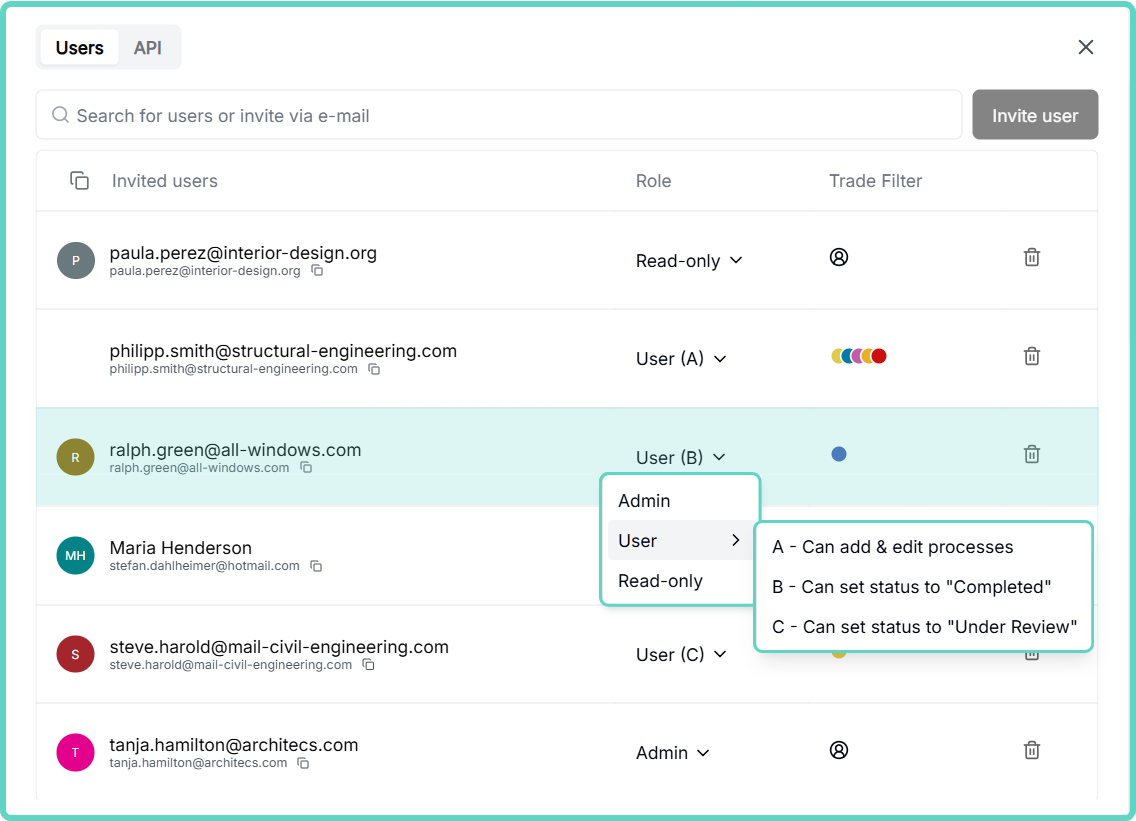
- With a new additional role, trades can now reschedule their own processes. At the same time, improvements have been made to the “Share project” dialog. >>>> to article
- pssst.... Another new function will be added here shortly.
- You will now receive lcmd tips while the loading screen is displayed for large projects or poor internet connection.
-
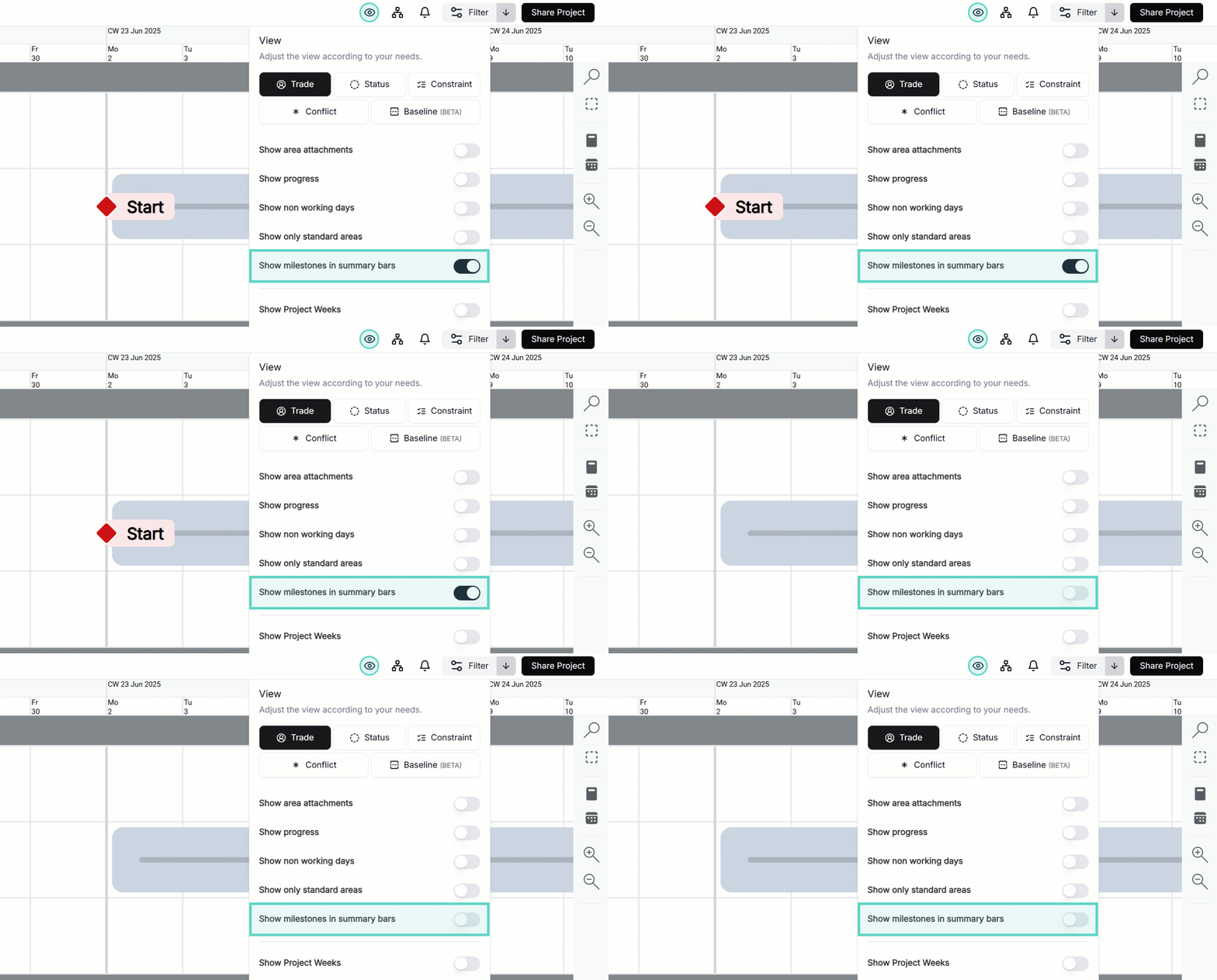
Milestones can be displayed or hidden in the summary bars via an option.
- After duplicating the project, you now have the option of opening the new project directly at the bottom right.
|
Import / Export
|
- If data from MS Project is faulty, you will now receive a precise list of the faulty processes when importing into lcmd and can adjust them before importing.. >>> more information to Import /FAQ
|
Process plan
|
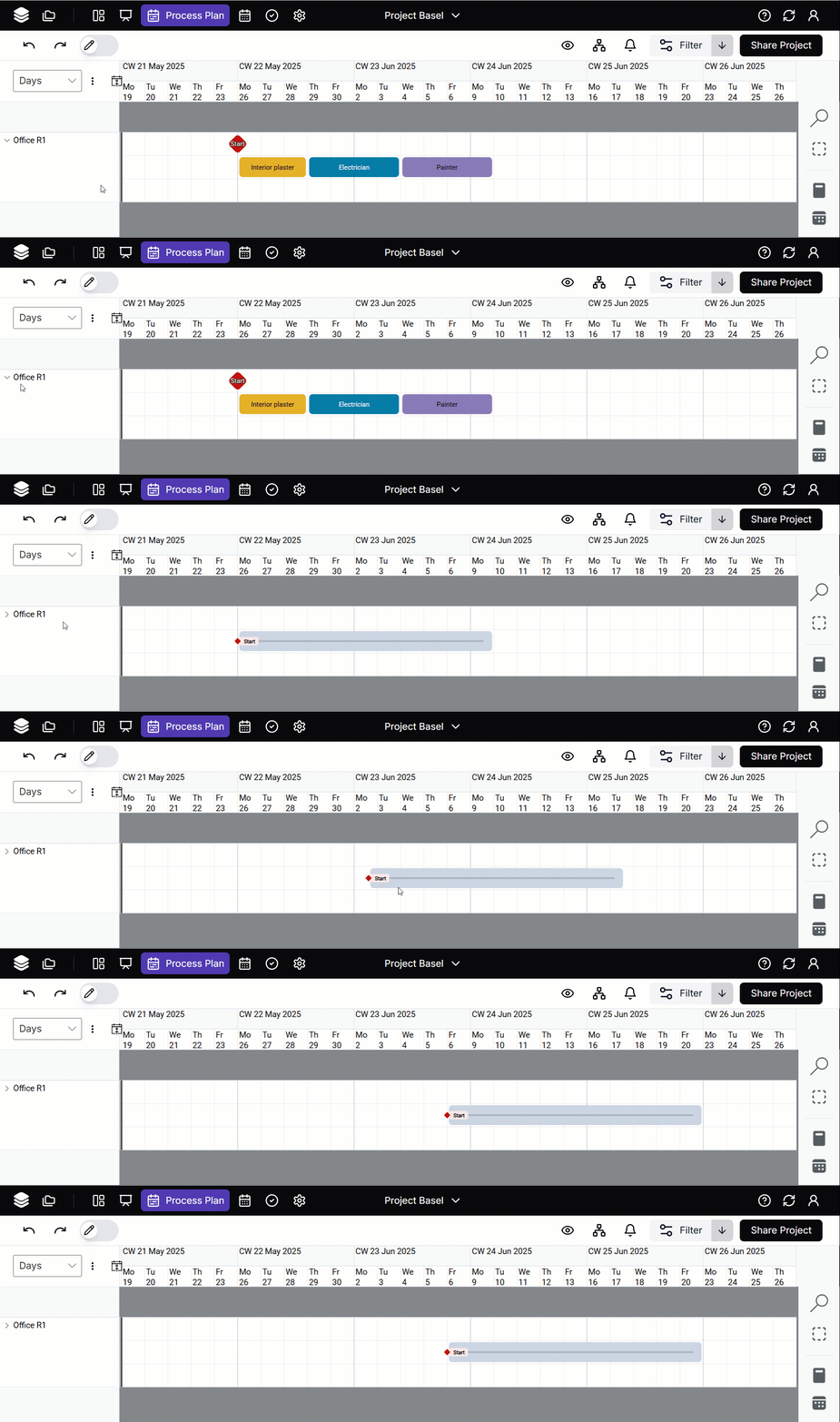
- Summary bars can be moved. All contained processes and milestones are moved at the same time.
- In a filtered view, it is no longer possible to add processes of non-filtered trades.
-
Deleted processes are also displayed in the baseline.
- When changing the start/end date in processes, the non-working days are now grayed out in the calendar and deactivated for selection.
- When selecting the baseline, the information that this baseline has been set for all project participants has been added.
- If a filter is set that does not return any results, the option to reset the filter directly appears at the bottom right.
|
Whiteboard
|
- When saving process chains in the standard library, the selection of a whiteboard has been simplified.
|