oben
oben
What are Job Cards?
The Job Card is the daily work assigned to a specific team being generated from the Process Plan.
A Fragnet Step in the Process Plan that take 5 working days, will have 5 Job Cards.
In Detailed Planning, every process in the Process Plan will be broken down into days of work (Job Cards).
In the Detailed Planning, the current week as well as the next 3 weeks of the Process Plan will be tracked and updated daily on the construction site.
The foreman who commits to a Job Card, will first scan the first Job Card of that process. This will automatically be updated in the Process Plan that this process is in progress.
When the process is finished, the foreman scans the last Job Card for that process. This will automatically be updated in the Process Plan that this process is done.

Exporting Job Cards
Job Cards can only be exported from the official Process Plan. Please note that the Process Plan must therefore first be set to official by an account Administrator.
|
|
Note: Job Cards can only be exported from the official Process Plan. Please note that the Process Plan must therefore first be set to official by an account Administrator. You can find information on how to set a process plan to official in the article about the process plan. |
It is possible to either export all Job Cards at once or only certain Process Steps by selecting them beforehand.
|
|
Note: The export of job cards respects the current filering of trades and takt zones. That means, only currently visible trades and takt zones are exported into job cards. |
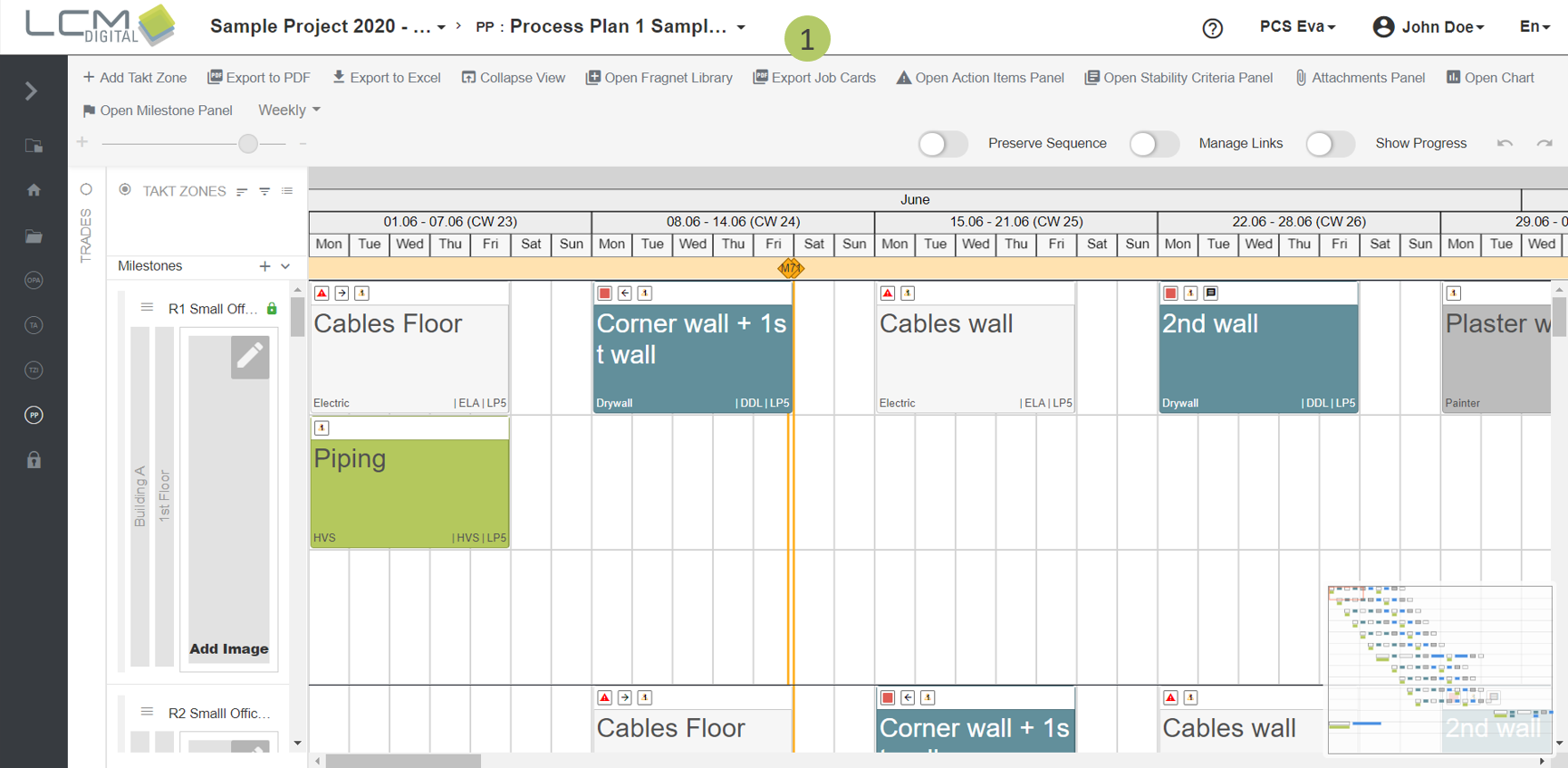
1. Click on „Export Job Cards“.
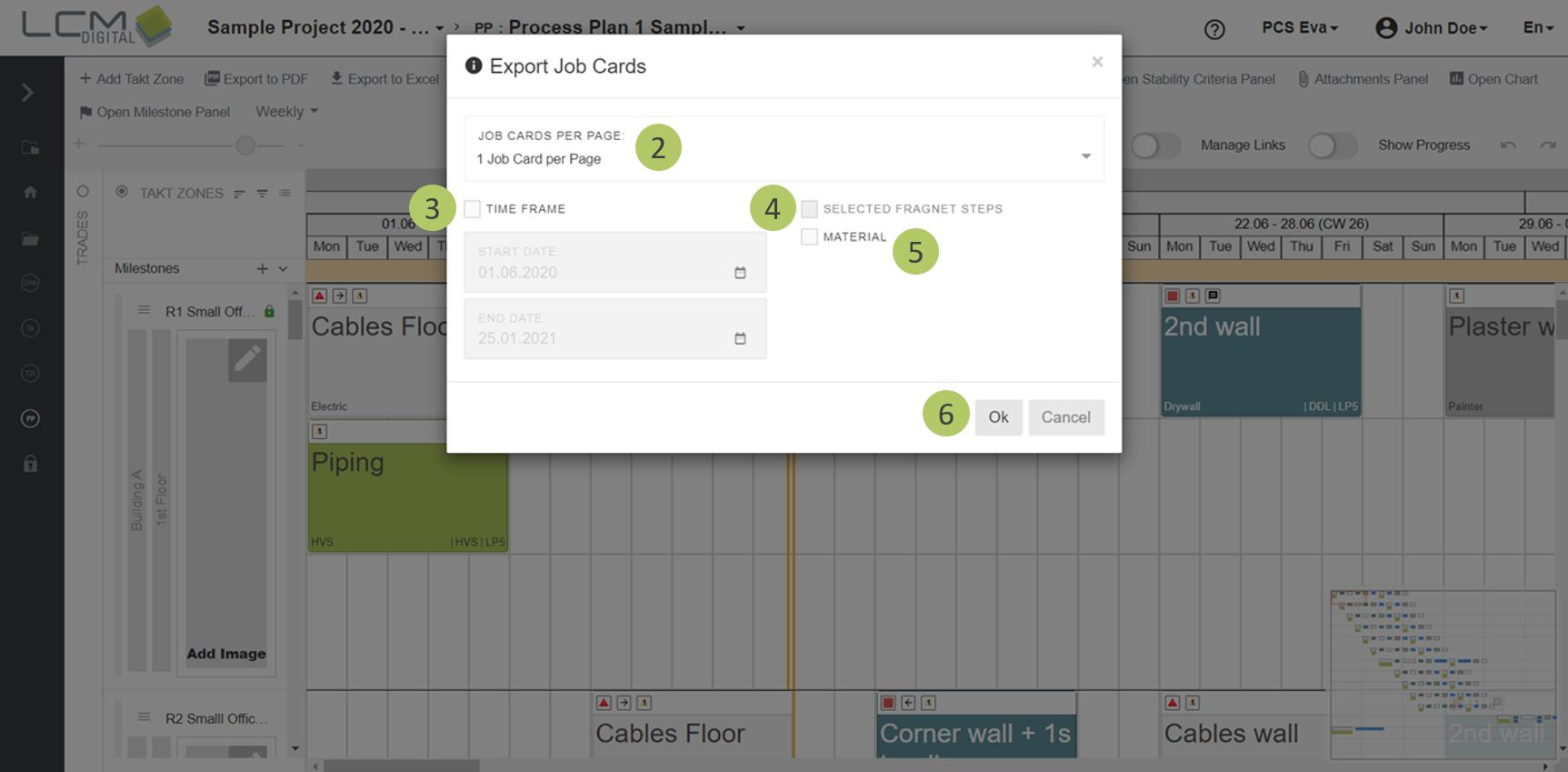
2. Select, whether there should be shown a single or six job cards on one page.
3. If desired check this check box to print cards for a given time frame. For instance for the next coming 4 weeks.
4. If desired check this check box to print cards for selected Fragnet Steps. If the trades are filtered, only the job cards of the filtered trades are exported.
5. Select whether the assigned material should be exported.
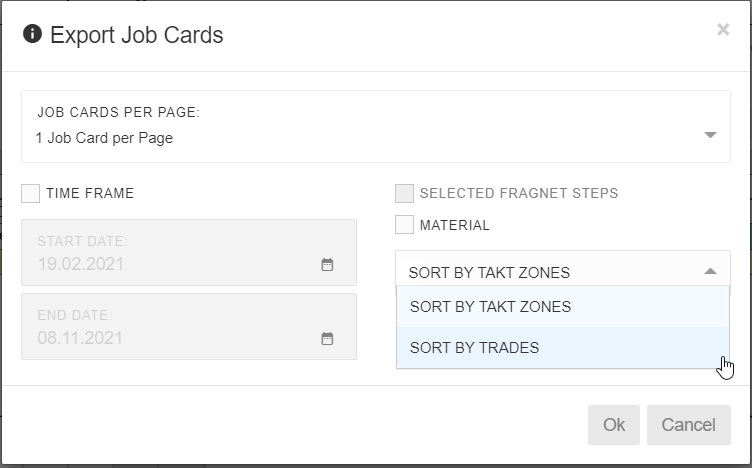
6. You have the possibility to sort and print plan cards by trade or by takt zone. If you choose sorting by trades, first all processes of the first trade in the first takt zone will be printed sorted by date, then those of the same trade from the next takt zone.
7. Click on „Ok“.
Structure of Job Cards
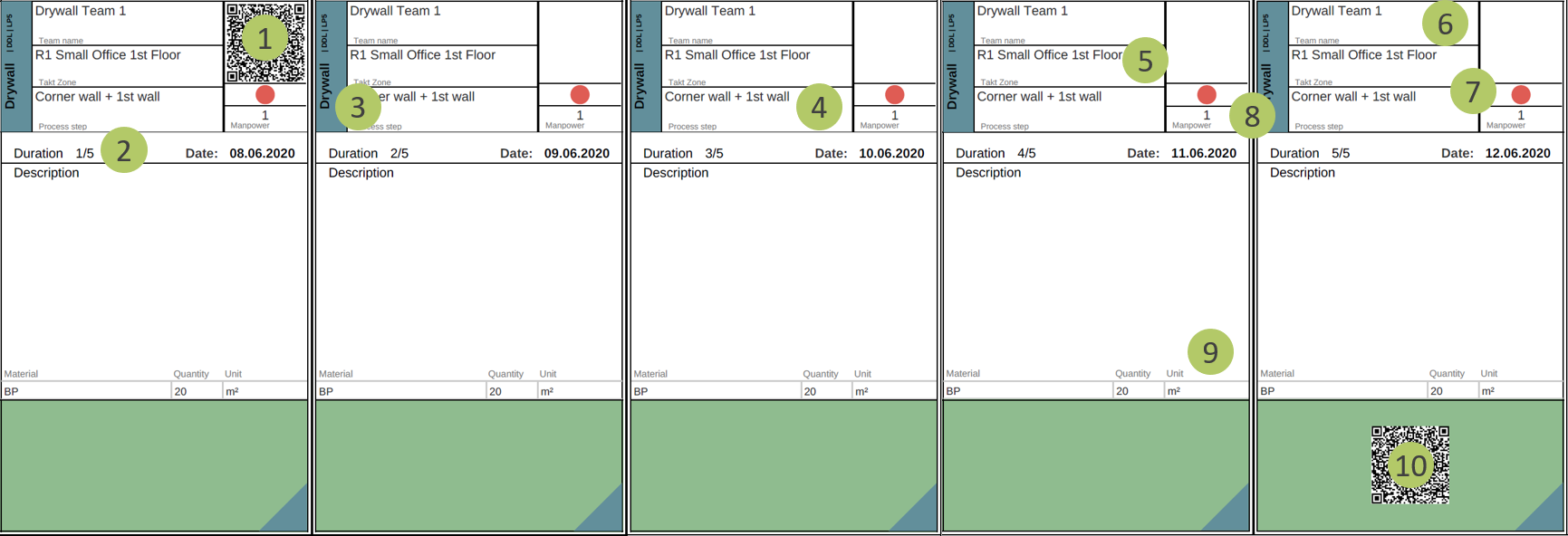
1. QR code on the first card. When scanning this QR code corresponding Fragnet Step will be automatically focused on in the mobile app.
2. Number of the Job Card based on the Fragnet Step’s duration. For instance, if the Fragnet Step take 5 days the first Job Card would be the 1/5 Job Card.
3. Trade’s color, name, phase and company code.
4. Name of the activity (Fragnet Step) based on the Process Plan.
5. Name Takt Zone based on the Process Plan.
6. The Team assigned to this Fragnet Step.
7. The Status of the Stability Criteria for this Fragnet Step according to the Process Plan.
8. Manpower for this Fragnet Step according to the Process Plan.
9. Material assigned to this fragnet step.
10. QR code on the last card. When scanning this QR code the corresponding Fragnet Step will be automatically focused on in the mobile app.