
How to define Teams?
The term Team refers to the actual team that does the work on the construction site.
A Team has a name and number of people working in that team.
A Team belongs to a Company, which is previously defined.
Teams can be assigned to Companies, which may consist of several Teams. Therefore, to create a Team, at least one Company must be defined.
- To be able to print Job Cards, each Fragnet Step must be assigned to a team. Please refer to exporting Job Cards section of this Users Guide for further explanation.
Example: Team Formwork with 2 members is one of the Teams in Drywall Contractors Ltd.

Create Teams
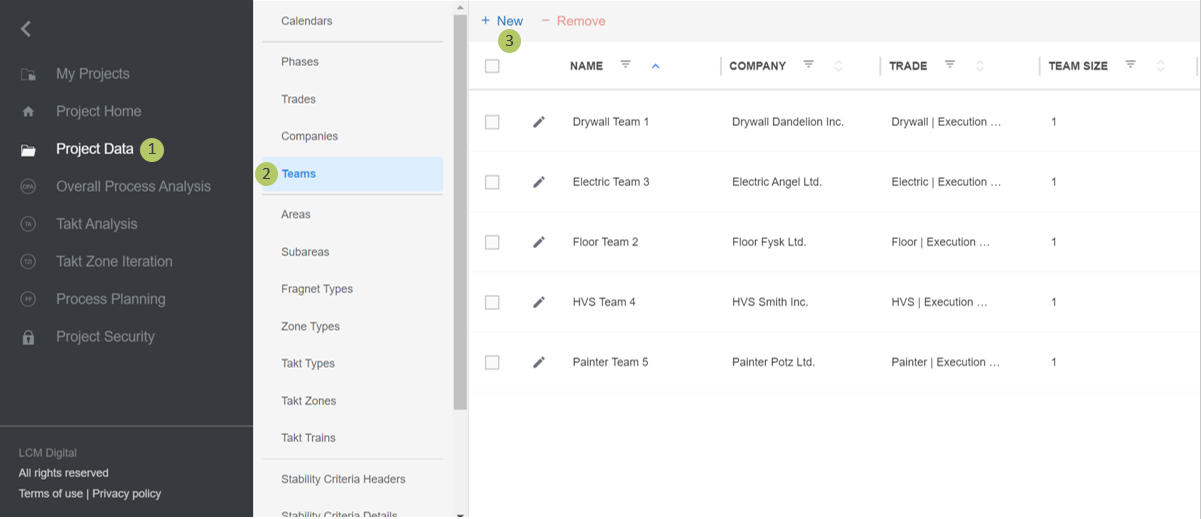
1. Go to Select Project Data from the Main Menu.
2. Go to Teams from the list of Project Data.
3. Click on New to create a new Team.
Edit Teams
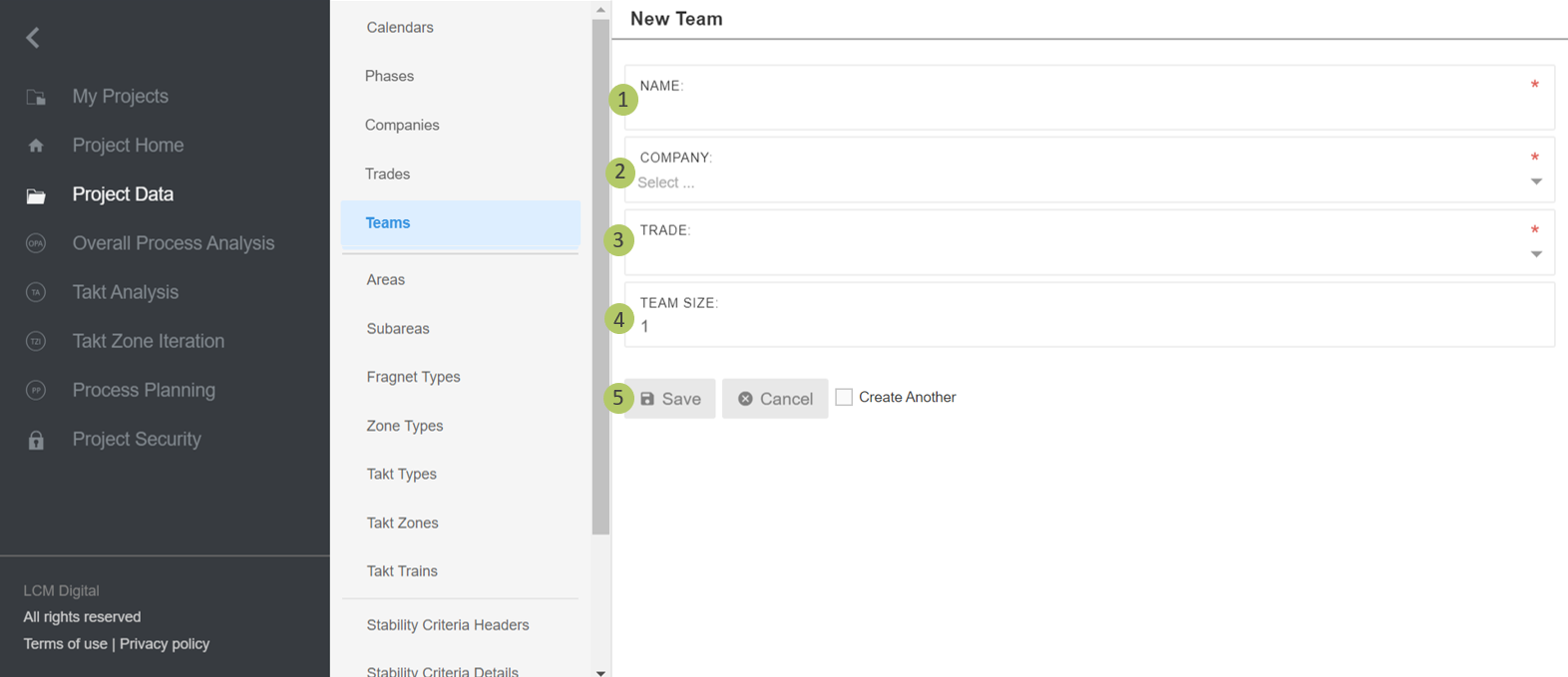
1. Select a name for this Team. After the team is assigned to a Job Card’s corresponding Fragnet Step, the name of the team appears on Job Cards.
2. Select one of the already defined Companies that belongs to this Team.
3. Select the Trade that belongs to this Company.
4. Insert the number of people working in this team.
5. Click on Save to save the information and proceed.
Remove Teams
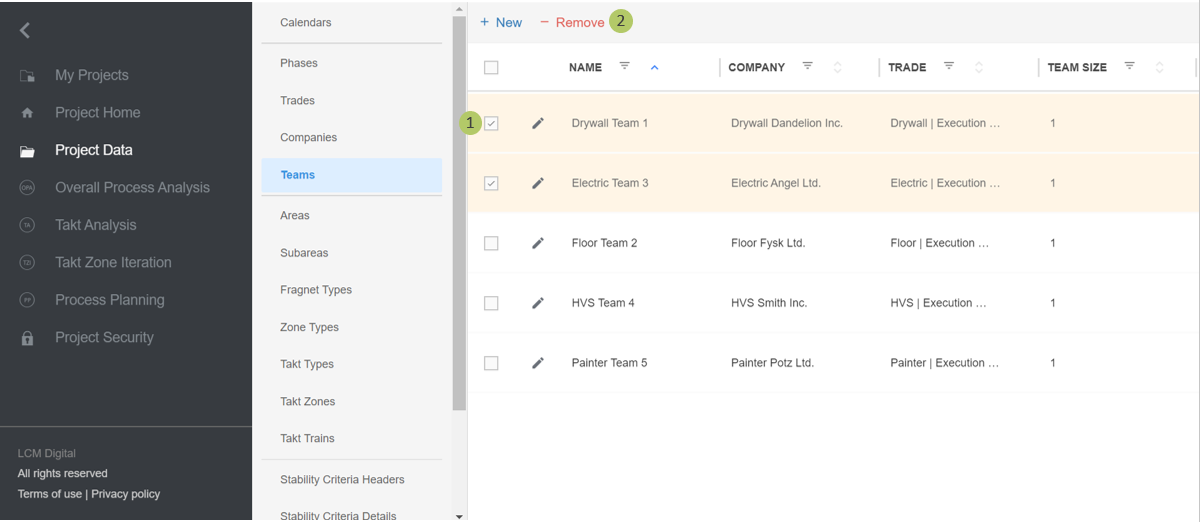
1. Select the item/s from the list of Teams by clicking on the checkbox.
2. Click on Remove to delete the selected Team/s.
|
|
Please note: a Team cannot be deleted if it is assigned to corresponding Fragnet Steps in the PP. |