 oben
oben
- What are Stability Criteria?
- Where in the Process Plan can Stability Criteria be found?
- Open the Stability Criteria Panel
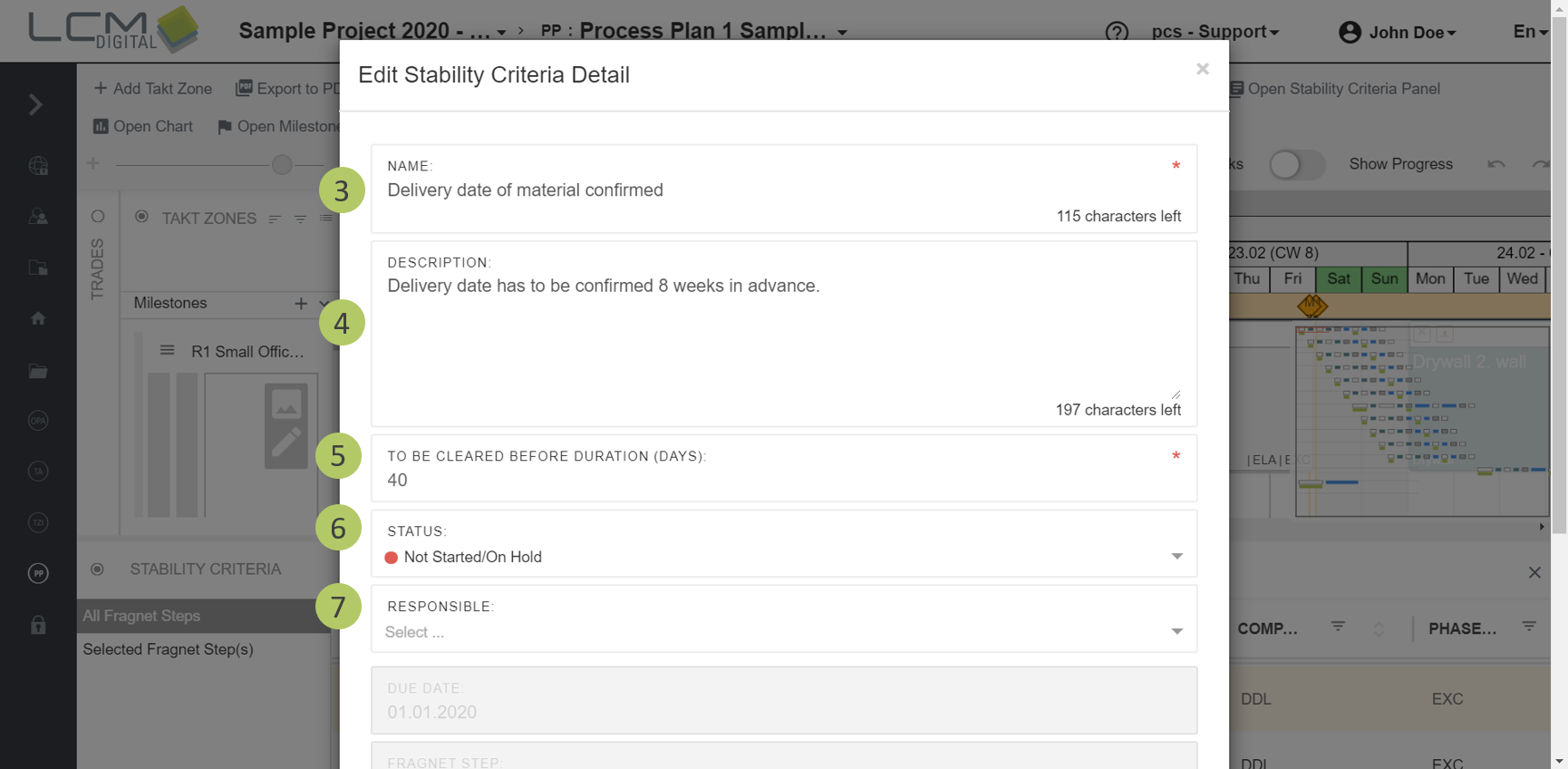
- Edit Stability Criteria Details
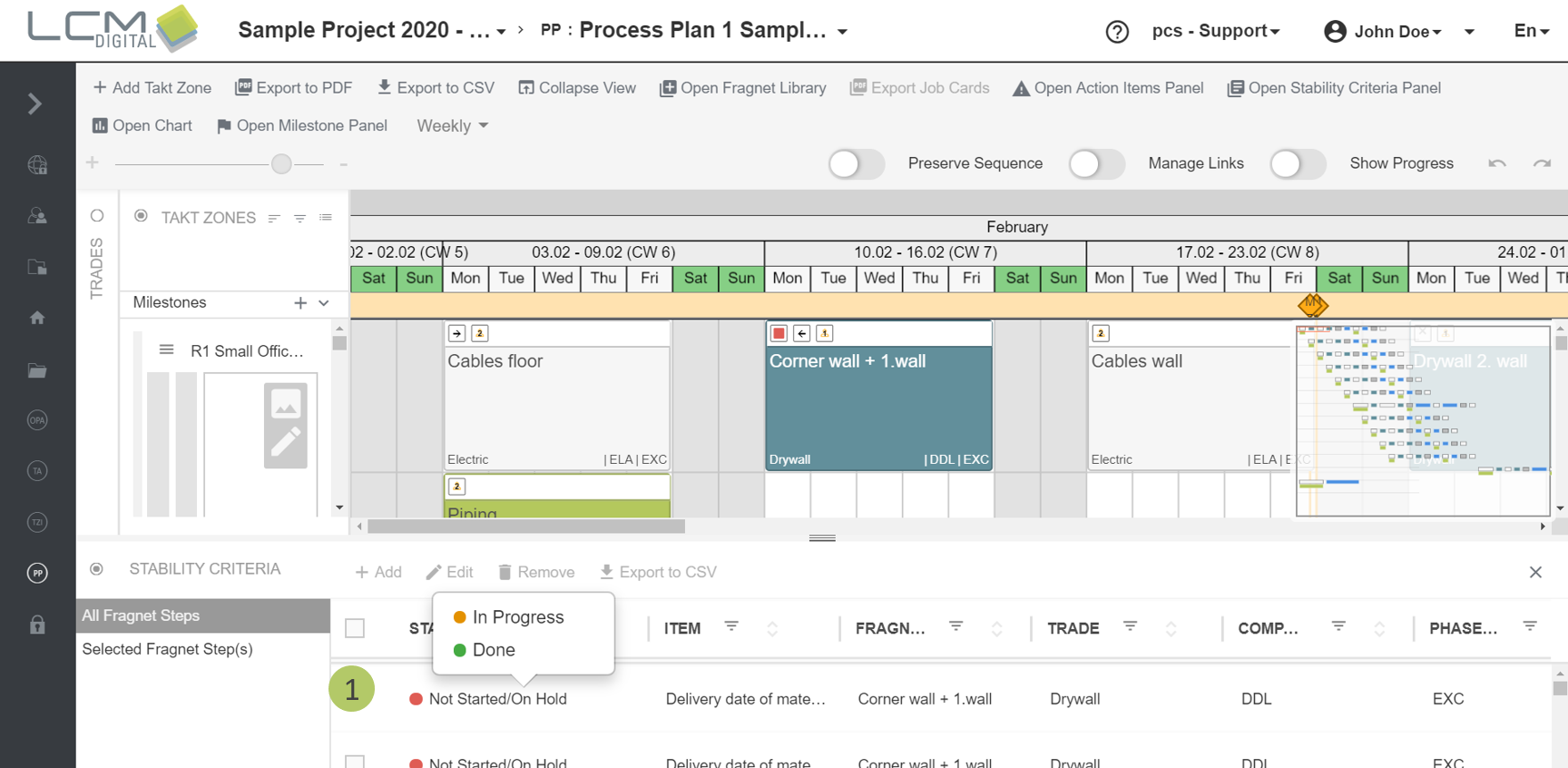
- Change the Status of a Stability Criteria Detail via the Stability Criteria Panel
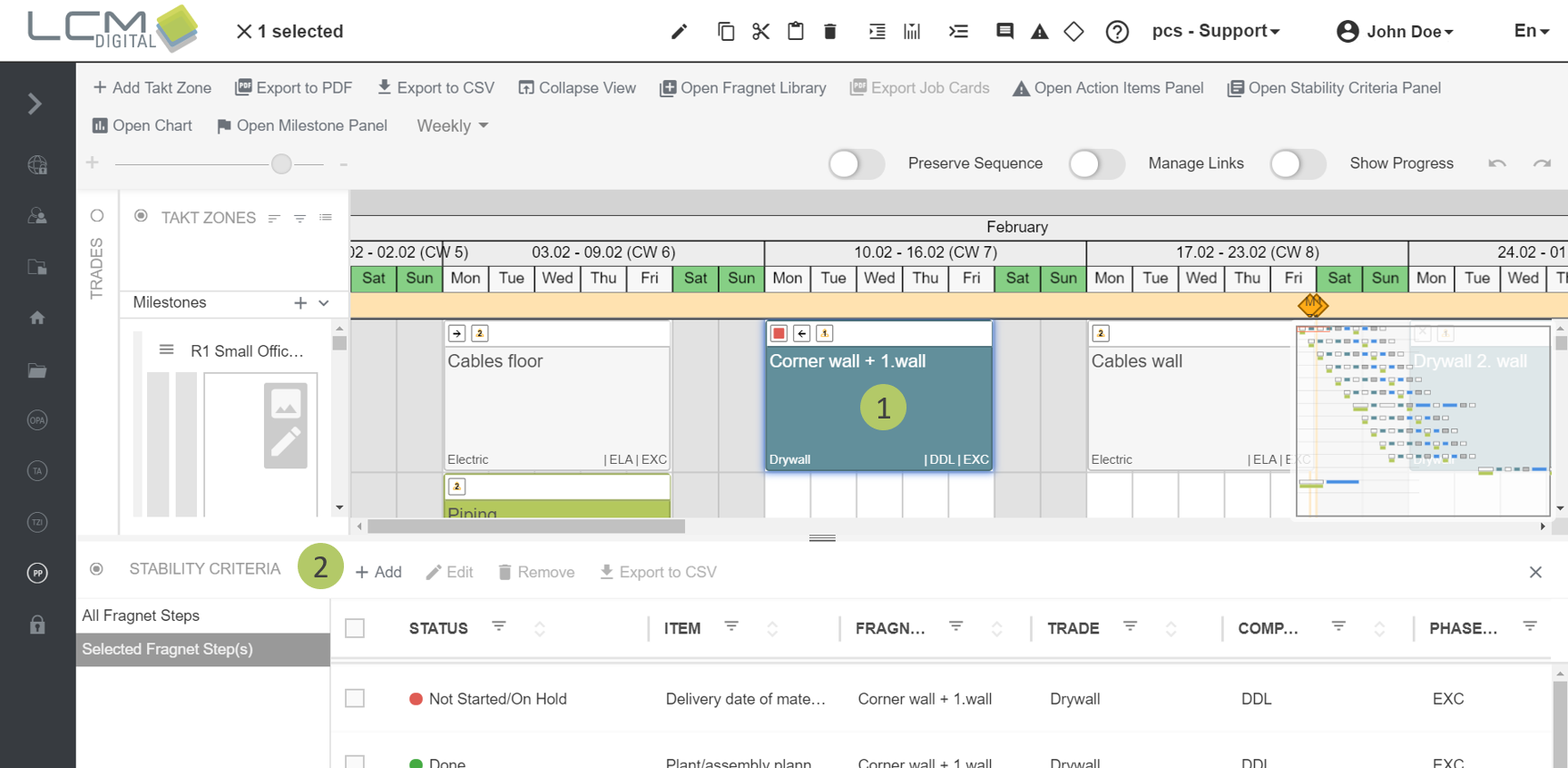
- Add Stability Criteria Details
- Remove Stability Criteria Details
- Export Stability Criteria Details to CSV
- Export Stability Criteria on Job Cards
What are Stability Criteria?
Stability Criteria are preconditions to be able to start a process, e.g. the existence of execution planning. Typically, Stability Criteria have a certain time limit before the process start where they have to be completed. Stability Criteria are defined for every trade.
If the corresponding Stability Criteria are not completed, the process cannot be started. The status of Stability Criteria for upcoming processes provides information about the stability within the planned Process Plan.
You can find further information about Stability Criteria Header and Stability Criteria Details in the corresponding articles.

Where in the Process Plan can Stability Criteria be found?
1. If the company-phase-combination of a fragnet step has a Stability Criteria Header defined, the fragnetstep automatically receives the Stability Criteria Details that have been defined for this Header in the Project Data. The status of the Stability Criteria Details is shown within the Stability Criteria icon in the fragnet step header.
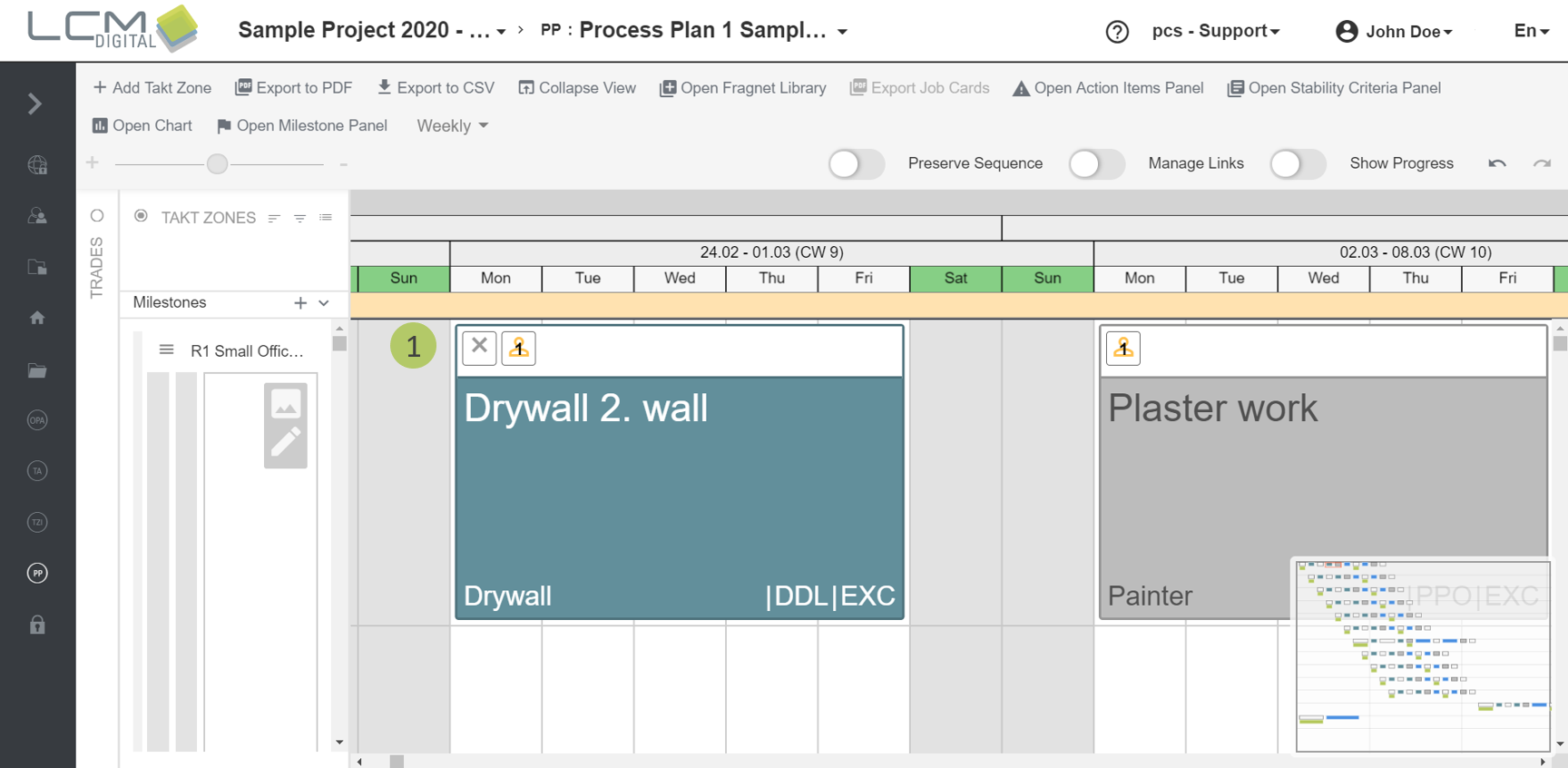
These different icons can be distinguished:
|
The company-phase-combination of the fragnet step has a Stability Criteria Header defined, but the fragnet step has no Stability Criteria Details assigned. |
|
|
The fragnet step has one or more Stability Criteria Details assigned. All Stability Criteria Details have not been started yet and the time limit/s for completion of the them has not been exceeded yet. |
|
|
The fragnet step has one or more Stability Criteria Details assigned and the time limit for completion of at least one Stability Criteria Detail has been exceeded. |
|
|
The fragnet step has one or more Satbility Criteria Details assigned and none of them has exceeded its time limit for completion. At least one Stability Criteria Detail is in progress. |
|
|
All Stability Criteria Details that are assigned to this fragnet step are completed. |
In the Process Plan (PP) the Stability Criteria are managed with help of the Stability Criteria Panel.
Open the Stability Criteria Panel
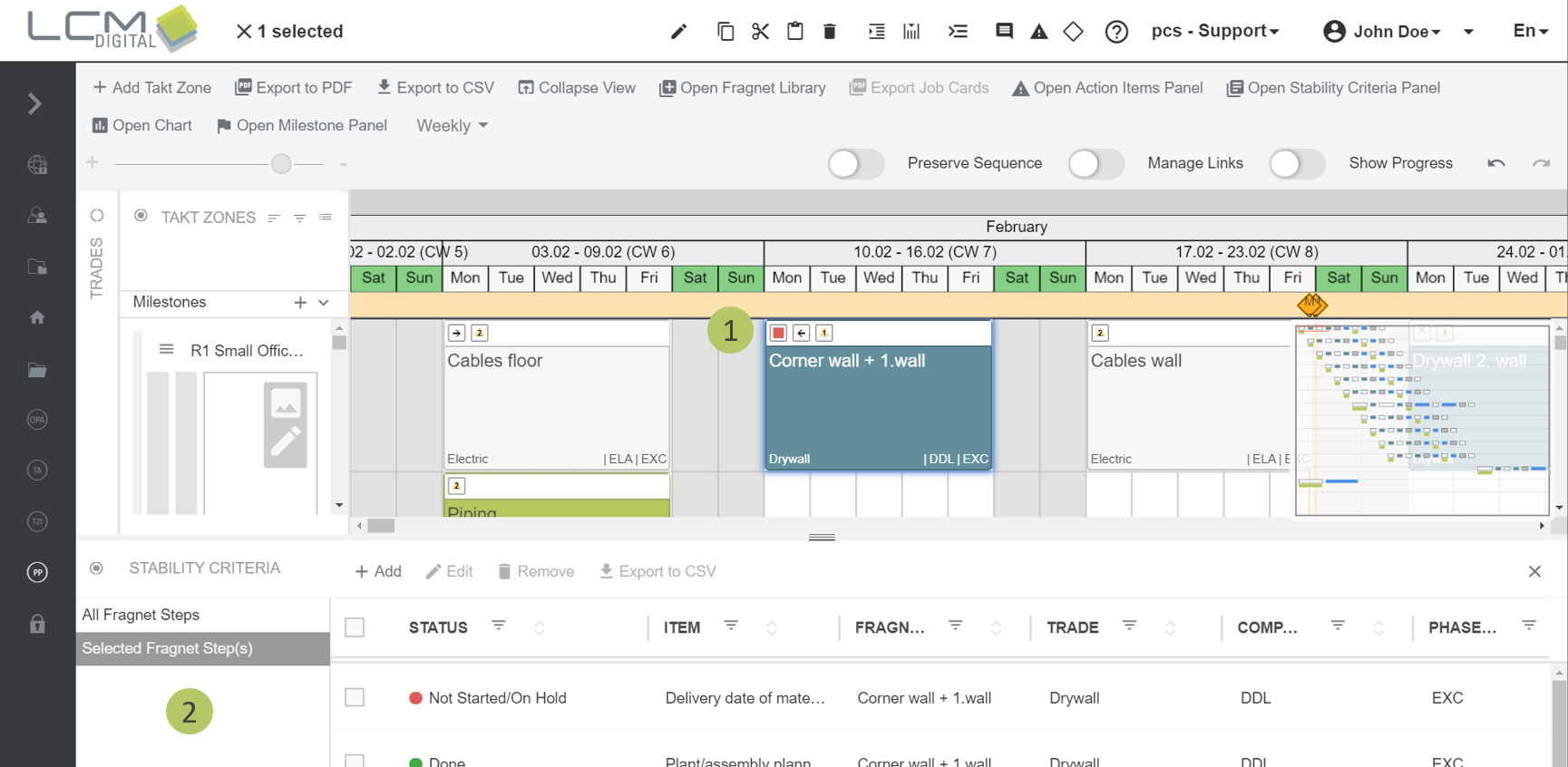
Option 1:
1. Click on the Stability Criteria icon on the far left of the fragnet step header.
2. The Stability Criteria Panel appears on the bottom of the display. You can choose between the view of all Stability Criteria of the PP or the Stability Criteria that are assigned to the currently selected fragnet steps.
Option 2:
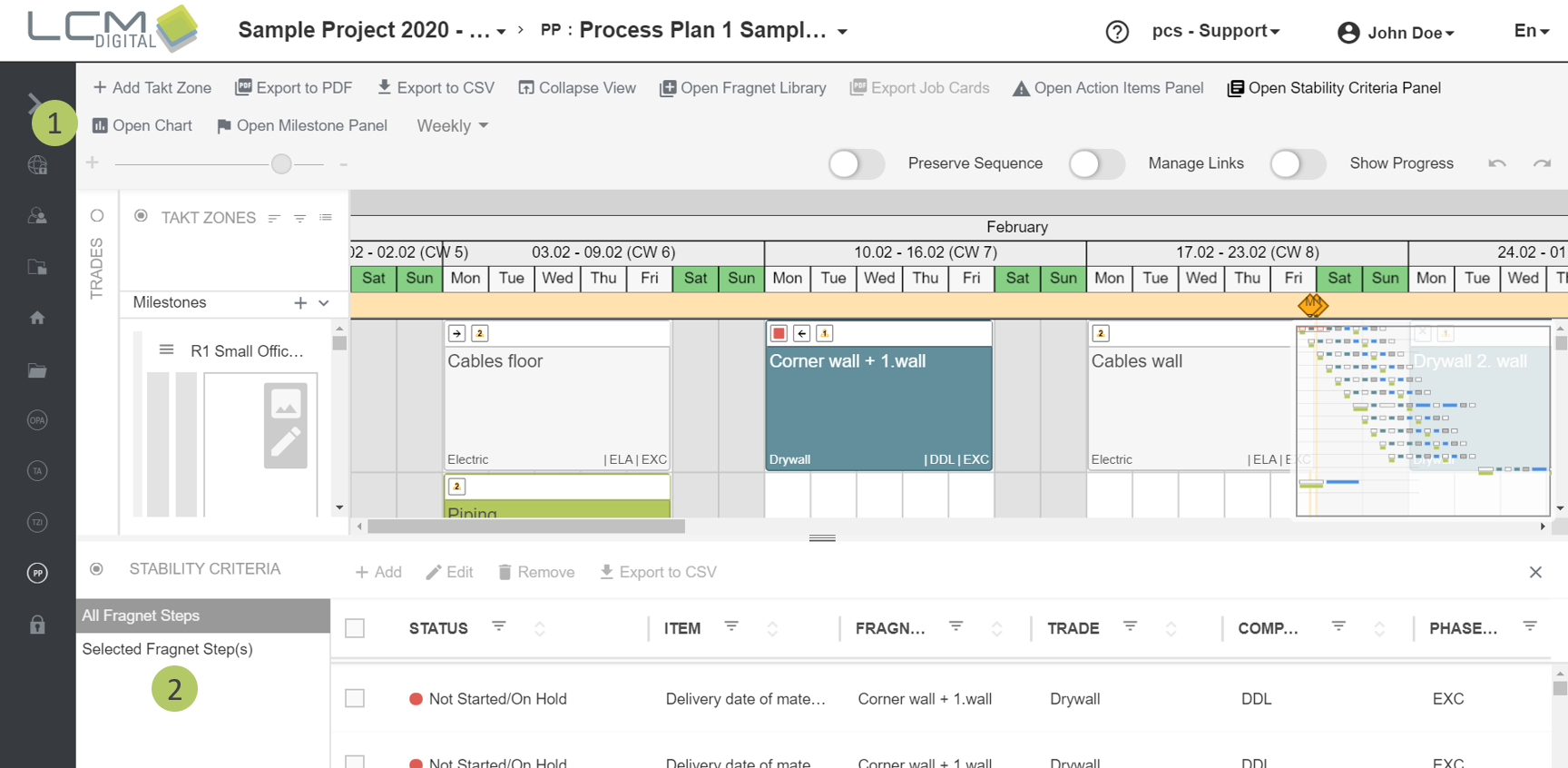
1. Click on "Open Stability Criteria Panel" in the toolbar.
2. The Stability Criteria Panel appears on the bottom of the display. You can choose between the view of all Stability Criteria of the PP or the Stability Criteria that are assigned to the currently selected fragnet steps.
Edit Stability Criteria Details
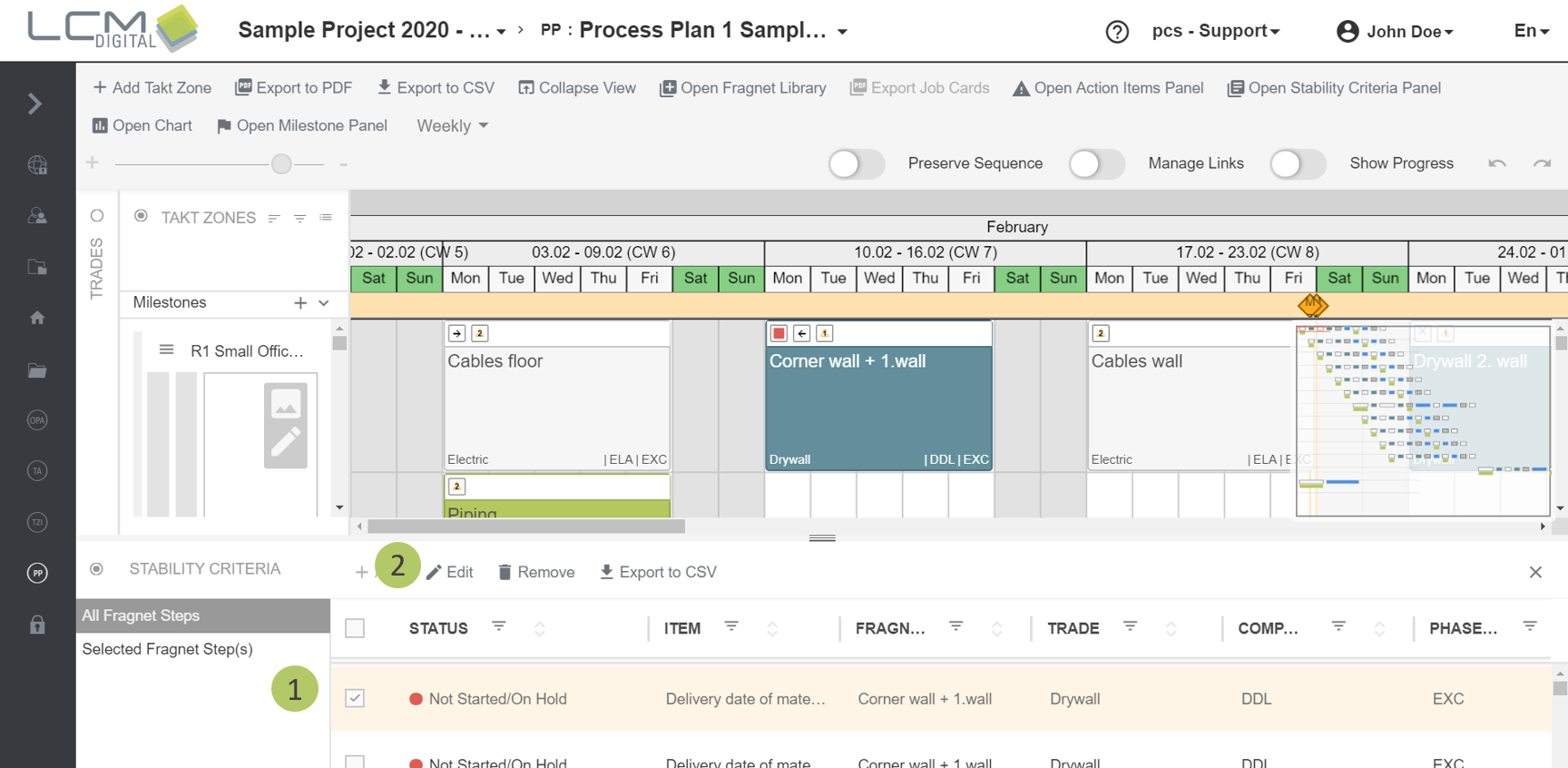
1. Select one or more Stability Criteria Details by checking the corresponding checkboxes.
2. Click on „Edit“.
3. Edit the name of the Stability Criteria Detail (Not applicable if more than one Stability Criteria Detail is edited).
4. Edit the description of the Stability Criteria Detail.
5. Edit the time limit (in working days) that determines how long before the process start the Stability Criteria Detail has to be completed.
6. Change the status of the Stability Criteria Detail. You can change the status of one Stability Criteria Detail directly in the Stability Criteria Panel as well.
7. Select a responsible person out of the list of project members.
8. Scroll down and click on "Save" to save the changes and proceed.
|
|
Edit Stability Criteria Details in the Process Plan(PP): |
Change the status of a Stability Criteria Detail via the Stability Criteria Panel
1. The status of a single Stability Criteria Detail can be changed by clicking into the "Status" column.
Add Stability Criteria Details
|
|
Add Stability Criteria Details: |
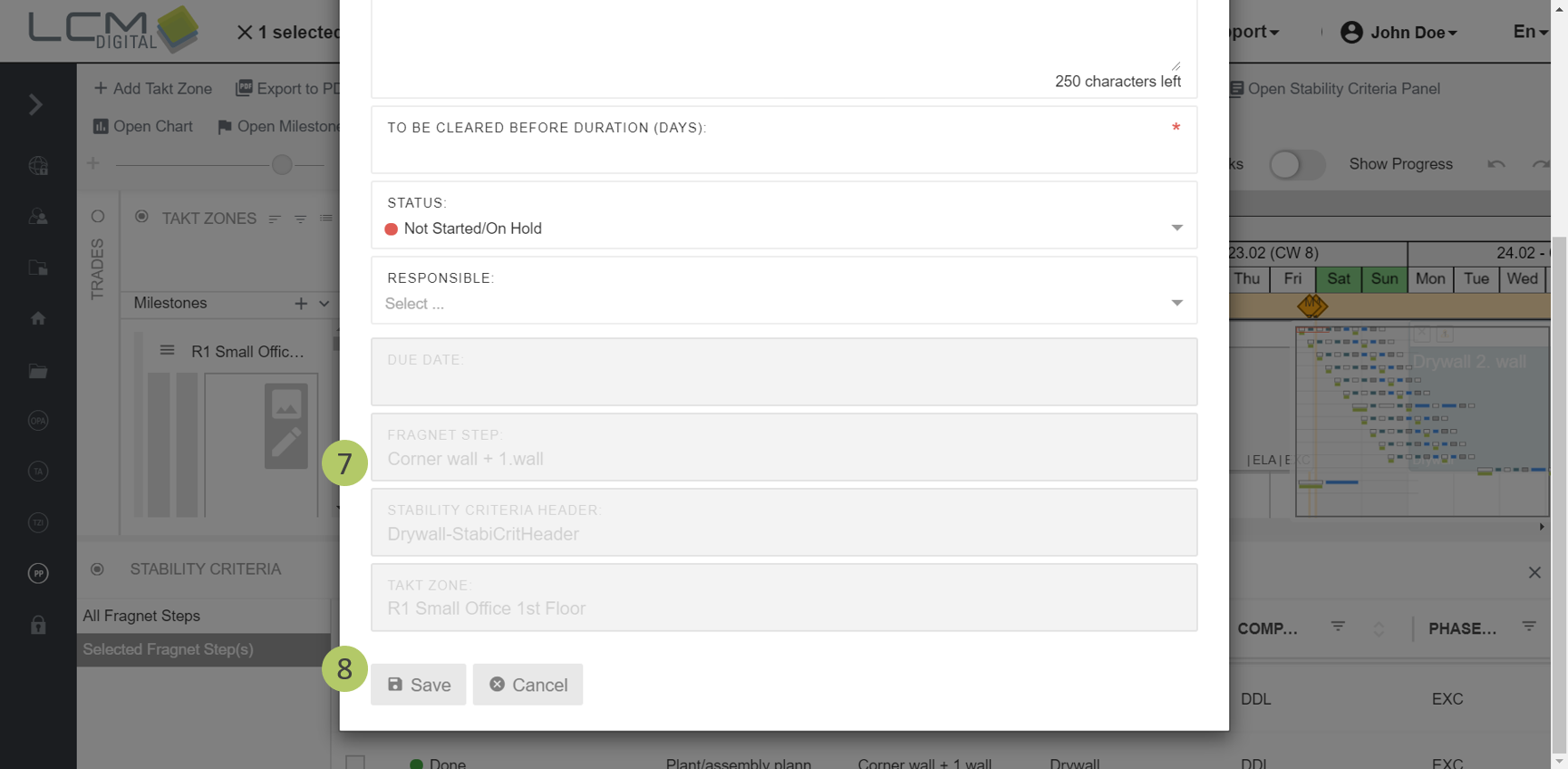
1. Select the fragnet step to which you want to assign a new Stability Criteria Detail.
2. Click on "Add" in the Stability Criteria Panel.
3. Specify a name for the Stability Criteria Detail.
4. Specify until when the Stability Criteria Detail has to be completed (working days before start of the fragnet step).
5. Optional: Change the predefined status.
6. Optional: Select a responsible user from the dropdown list of project members.
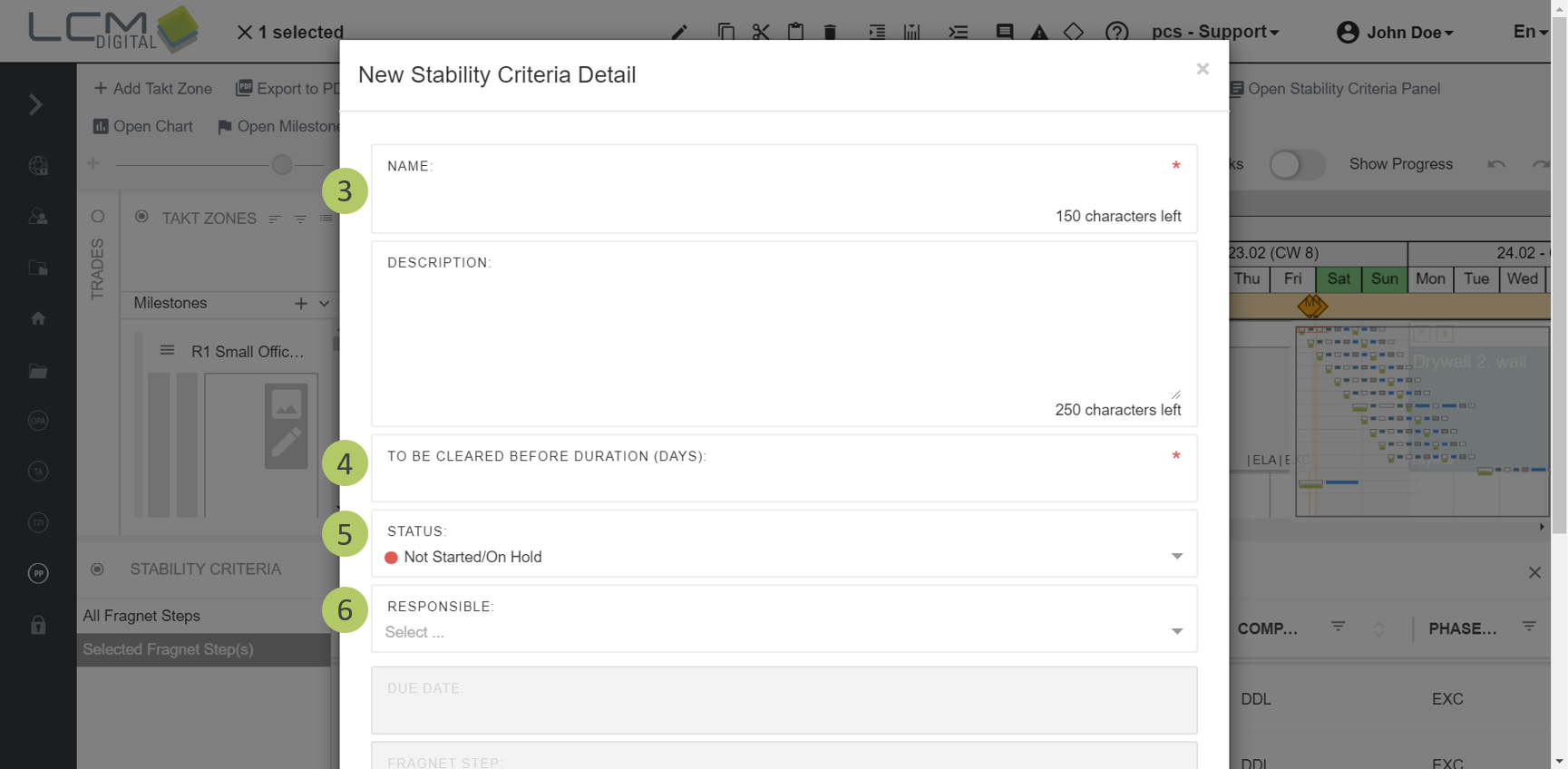
7. The due date, the corresponding fragnet step, the Stability Criteria Header and the takt zone are automatically assigned.
8. Click on "Save" to save the information and proceed.
Remove Stability Criteria Details
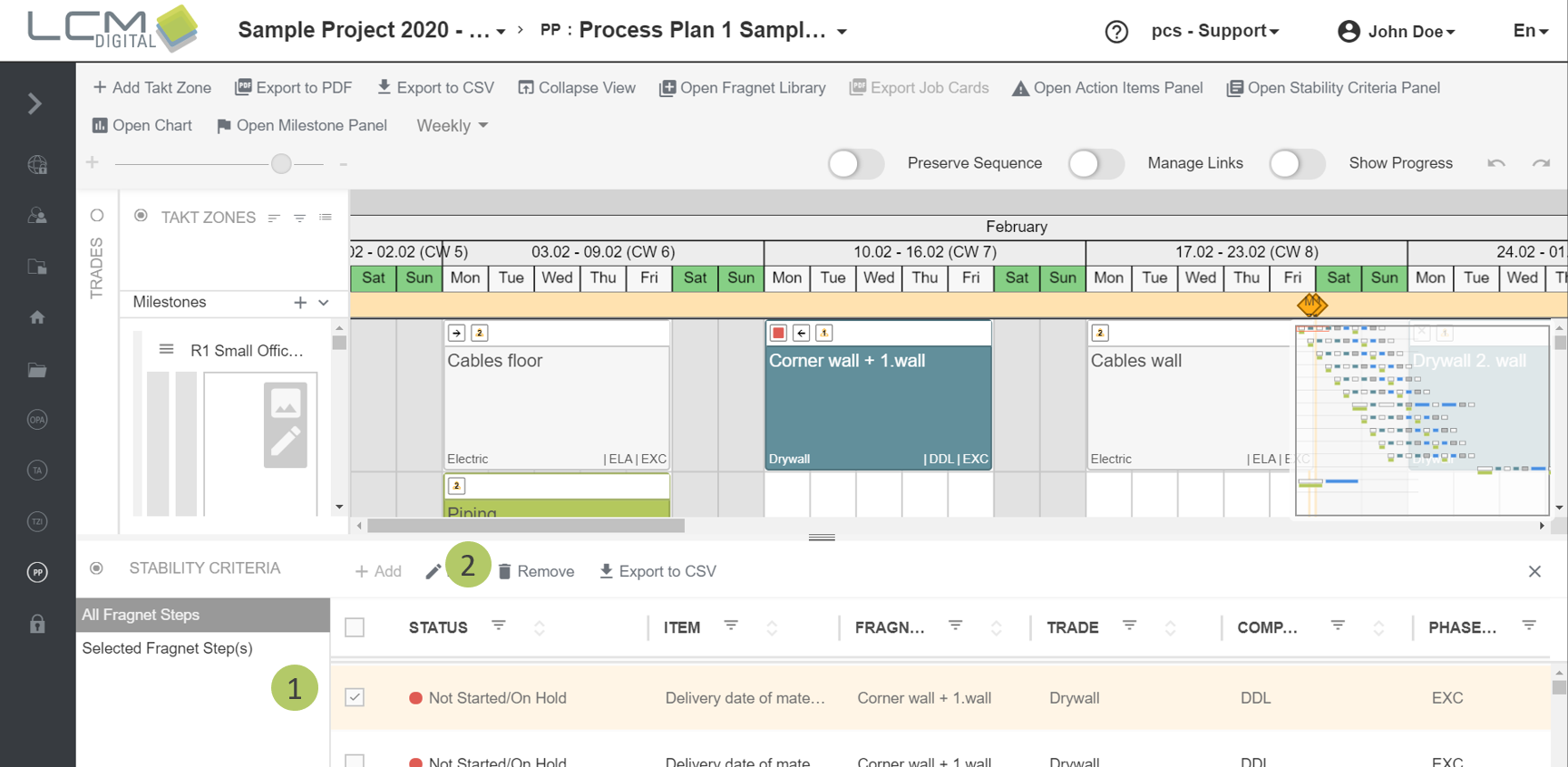
1. Select one or more Stability Criteria Details by checking the corresponding checkboxes.
2. Click on "Remove".
Export Stability Criteria Details to CSV
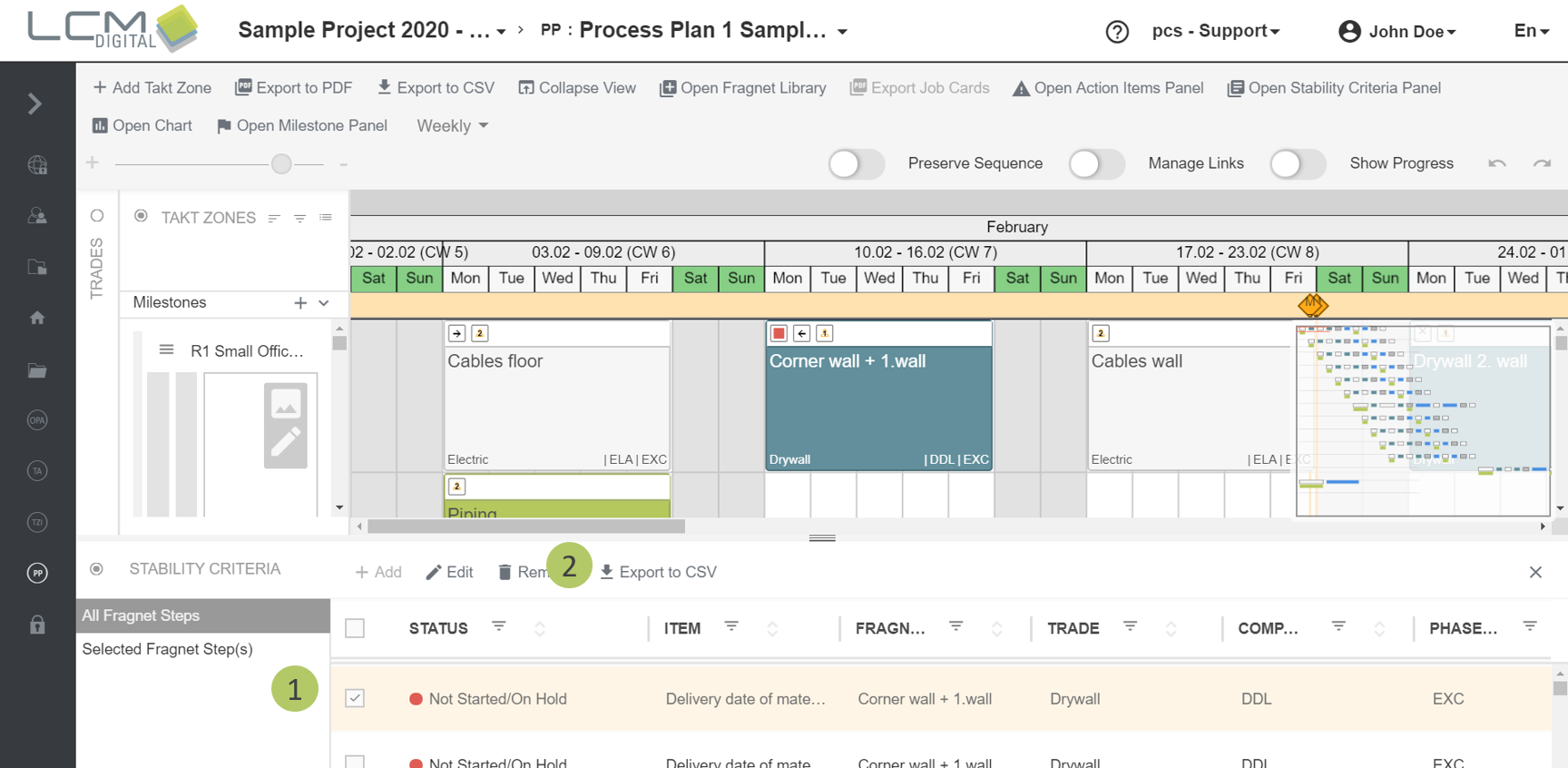
1. Select one or more Stability Criteria Details by checking the corresponding checkboxes.
2. Click on "Export as CSV". Your browser downloads the file and you can find it in your Donwloads folder. Additionally, you will receive an E-Mail with a link so you are able to download the file manually.
Export Stability Criteria on Job Cards
The status of the Stability Criteria Details of a fragnet step is also found on the exported job cards of a Process Plan. You can find further information on that in the article concerning Job Cards.